The Key Conditions Omitted from Paper Summaries: TextFold Lets You Fold Back to the Original Text to Verify Them
TextFold folds papers, web pages, PDFs, and AI responses into 5 levels of detail, from section themes all the way down to paragraph-by-paragraph original text. Selecting text to ask a question cites the paragraph, original PDF pages can be viewed side by side, and notes are preserved as you zoom. Some people first read the 1-to-3-sentences-per-paragraph level, then decide whether to go back to the original text.
Papers are too long, so letting AI summarize them saves effort. The trouble comes afterward: key derivations and preconditions get conveniently omitted, and when you want to verify something you still have to find the paragraph again.
TextFold targets this problem. It folds the same article into 5 levels of detail, from a section overview all the way expanded to the original text. The finest level is the full text; one level up, each paragraph becomes 1 to 3 original sentences from the author; further up are arguments and reasons; further up, one sentence per section; at the coarsest level only section themes remain, and the article becomes a card map. Starting from level 3, the text is written by AI, but every sentence is anchored to the author's original sentences and can be clicked back to the original text. Its predecessor was called PaperFold; it is now renamed TextFold.

It supports pasting web page and paper links, and you can drag in PDF, Word, PPT, Excel, EPUB, HTML, CSV, images, Markdown, and plain text. arXiv, PubMed Central, bioRxiv, medRxiv, Wikipedia, and GitHub README can all be read directly. When you reach something you do not understand, select it and ask a question; the answer first gives a short answer, then evidence, with each point citing the corresponding paragraph and a one-click jump back.
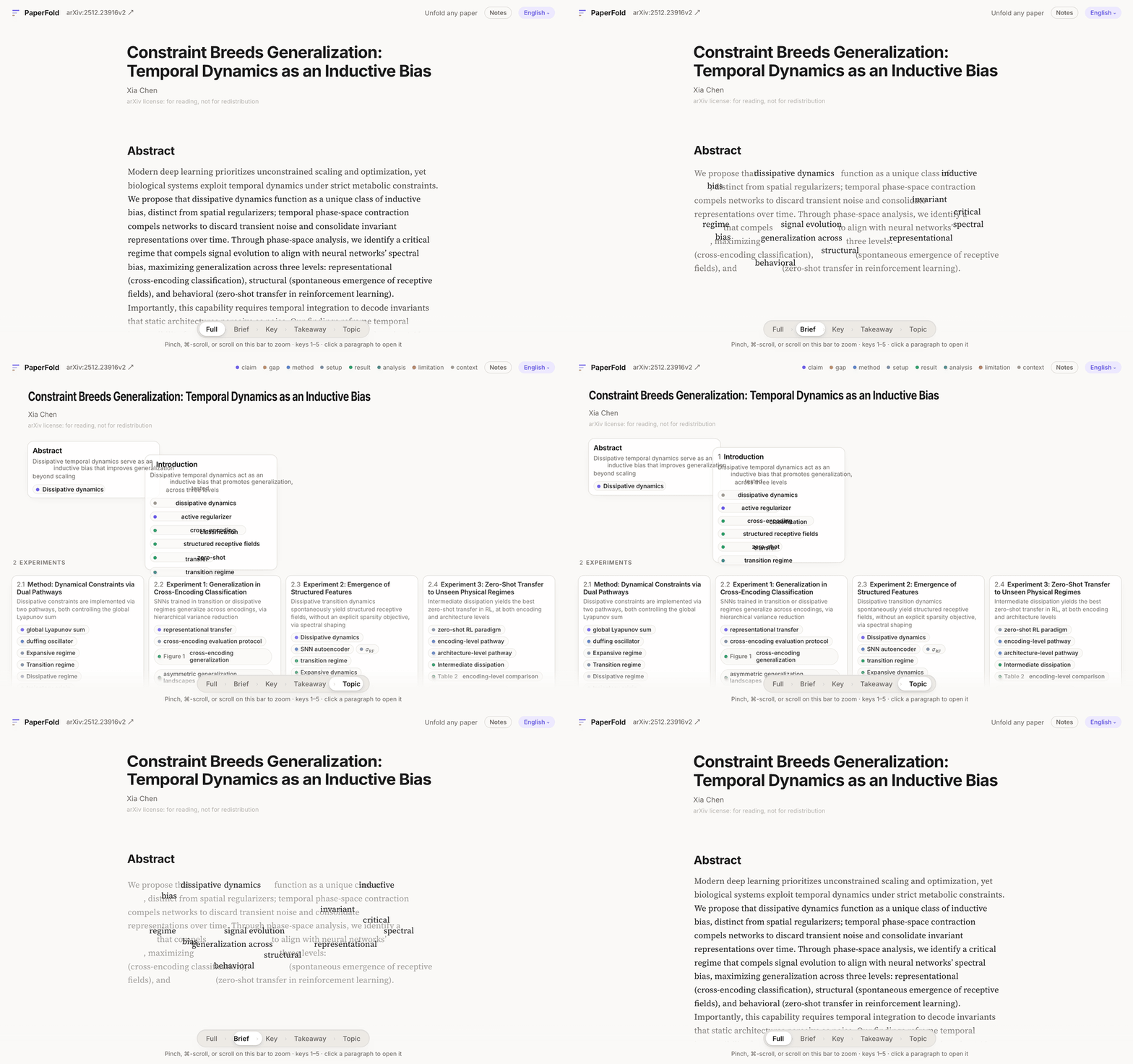
When reading PDFs, you can place the original page beside the text; click a paragraph and the original page jumps to that paragraph. Highlights and annotations are preserved as you zoom; even when folded down to the Takeaway level, marked paragraphs are still there. Existing Zotero libraries can be connected directly, and the Obsidian plugin TextFold Bridge can link notes and reading positions. After reading, you can export a single HTML file with the content of each level and your own notes, and you can optionally include the original PDF.
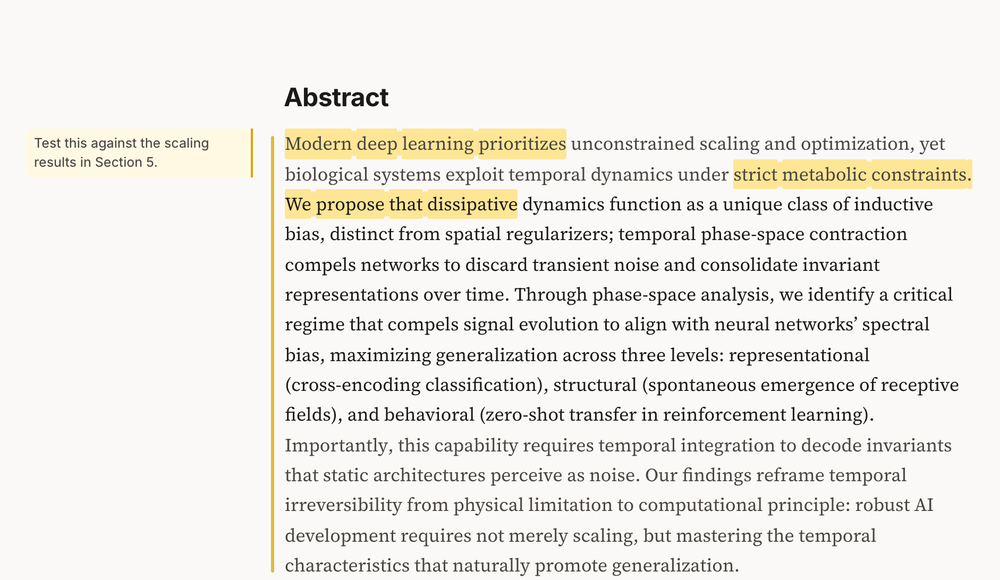
Some users asked whether, in the exported HTML, citations in selected Q&A can still jump back to the original paragraph. The public description only confirms that the export includes the content of each level, notes, and an optional original PDF; it does not mention this jump, so you need to try it yourself.
For developers, install the Python package with python3 -m pip install textfold, run python3 -m textfold serve, open localhost:3017, and connect your own model. It supports Anthropic, OpenAI, DeepSeek, Qwen, Zhipu GLM, Kimi, MiniMax, Google, Ollama, and any OpenAI-compatible endpoint. Mac and Windows have installers. The project is Apache 2.0 and requires Python 3.9 or later. The GitHub address is chenxiachan/textfold, and the demo is at gallery.
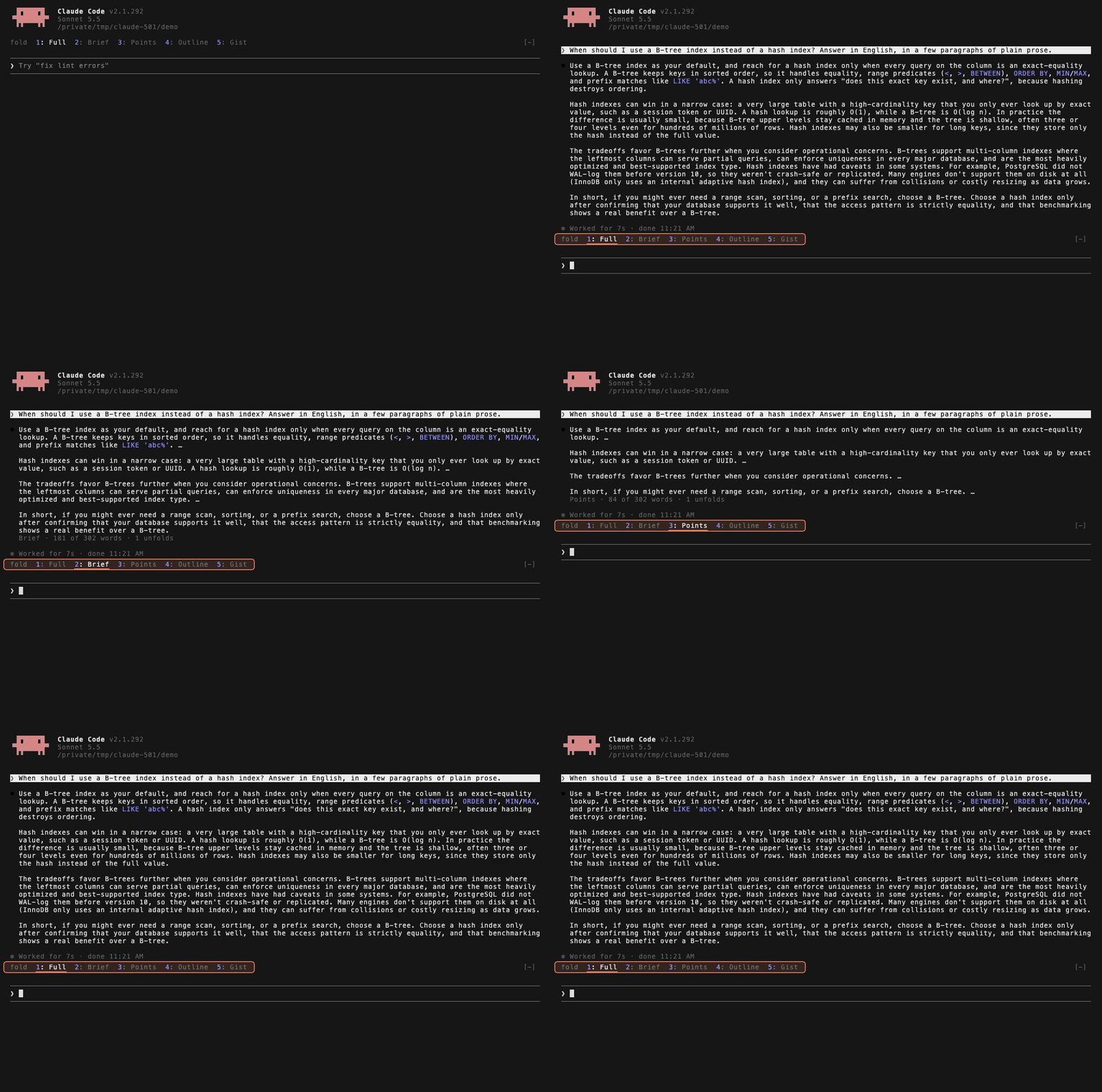
In Claude Code and Pi, you can also fold the agent's replies into 5 levels. Press 1 to 5 to switch levels: 5 is one sentence, and 1 is the full text. It does not start another model to summarize; folding relies on extracting sentences the model has already written earlier, so it does not add call cost. The CLI command python3 -m textfold get lets the agent first read the section map, then use --section to expand a particular section.
There are many tools for reading faster, but few let you return to the original text. TextFold builds fallback into the reading process: first look at the overview to locate things, then expand key paragraphs to compare against the original text. Some users say they usually first look at the 1-to-3-sentences-per-paragraph level, then decide whether to dig back into the original text; others say five levels of detail amount to five chances to change your mind. One user put it more bluntly: the thing summary tools fear most is writing smoothly enough that people stop bothering to verify. This design keeps verification close at hand.
发布时间: 2026-10-25 09:37