AI finishes the mobile app, but you still have to tap through acceptance? This MCP lets Claude Code do the tapping itself
mobile-mcp connects iOS and Android simulators, emulators, and real devices to MCP, letting clients like Claude Code and Cursor directly tap, type, take screenshots, and record the screen. 10k GitHub stars, Apache-2.0. It prioritizes reading the accessibility tree and burns fewer screenshot tokens. But installing it doesn't mean tests are automatically stable.
Mobile AI coding has an awkward break point: code generation is fast, but final acceptance still means a human tapping around in the simulator. mobile-mcp wants to close that gap. It is an MCP server built by mobilenexthq, with 10k stars on GitHub and Apache-2.0, and it lets MCP clients such as Claude Code, Codex, Cursor, Gemini, and GitHub Copilot drive iOS and Android simulators, emulators, and real devices.

It solves a very concrete problem: one API covers both iOS and Android, so you don't have to write XCUITest or Espresso separately, and the agent doesn't need to become a platform expert first. By default, it reads UI elements from the native accessibility tree, falling back to screenshots plus coordinates only when necessary. That choice is practical: screenshot-based approaches look universal, but they cost more tokens and introduce fuzziness; being able to read structured elements makes tapping and assertions more reliable.
The capability list is not short. Tapping, double-tapping, long-pressing, swiping, installing, launching, terminating apps, clearing data, screen recording, reading the clipboard, changing GPS, changing orientation, folding/unfolding foldable screens, and deep links can all be exposed to clients through MCP tools. It also supports real devices in Mobile Next Cloud with the same tools, so you don't need to provision devices locally. For teams that need to run a multi-device matrix, this direction is more realistic than stuffing a bunch of simulators into CI.
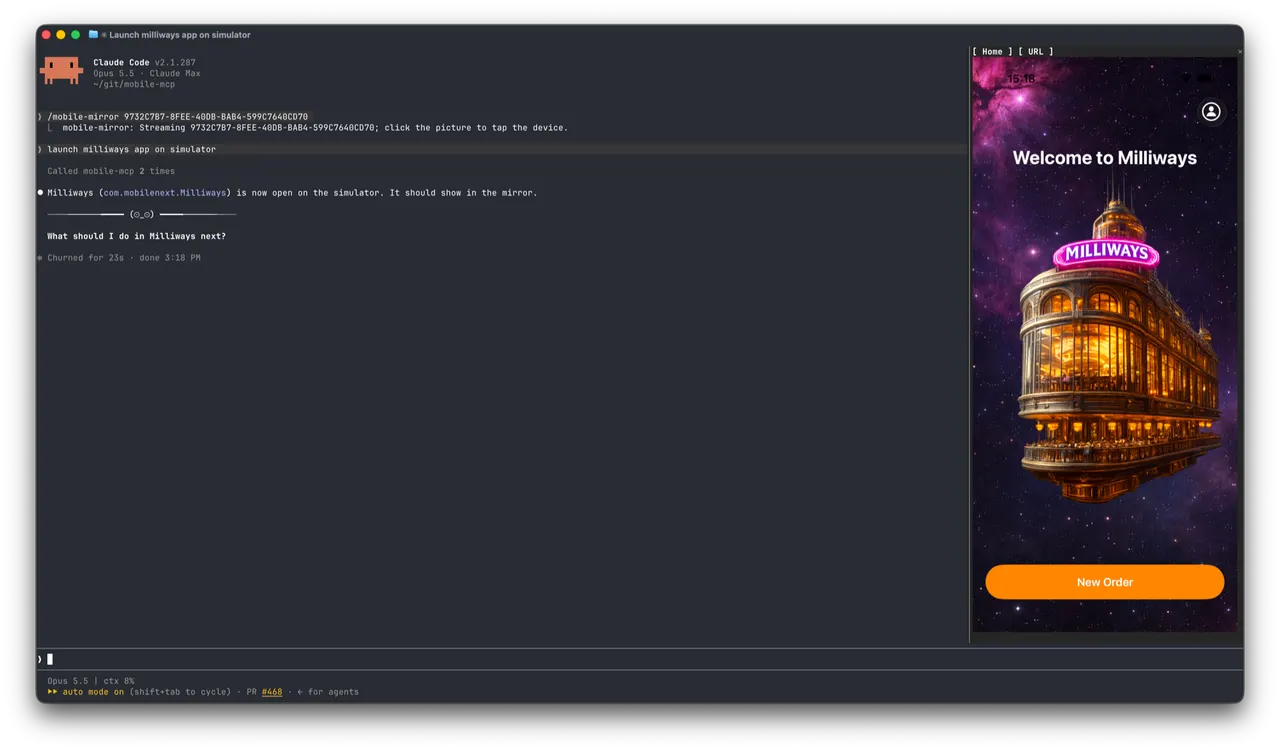
Installation is made easy:
npx @mobilenext/mobile-mcp@latest install
It detects MCP clients on your machine and lets you choose which ones to configure. Add --yes to configure all automatically. Manual configuration is also covered in the README. iOS simulators require Xcode and a running simulator; Android emulators require the SDK and a running emulator; real devices require USB trust or adb authorization. These prerequisites haven't changed—MCP just unifies the entry point for operations.
One judgment call: what tools like this really change is the repeatability of mobile acceptance. Teaching an agent to tap the screen is only the surface. In the demo video, Claude Code controls the simulator smoothly; in a real project, a single system permission pop-up, one network hiccup, or one button without an accessibility label is enough to stop the agent. 10k stars show the demand is real, but that doesn't mean it's exempt from inspection. Airsc's scan found no high-risk patterns, and the license is Apache-2.0, but you still need to read the code yourself.
Who is it for? People doing native app UI testing, people who need to enter data across multiple apps, people letting LLMs run multi-step user journeys, and people who want to connect cloud real devices into agent workflows. If you just want AI to help tap a couple of times, manual tapping may be faster.
Project page: https://airsc.vercel.app/r/mobile-next-mobile-mcp
Source code: https://github.com/mobile-next/mobile-mcp
发布时间: 2026-10-31 23:30