Two Days, Zero Lines of Hand-Written Code: Windows and Mac Stitched Into One Computer
DuoDesk, a free and open-source tool, lets one keyboard and mouse work across Windows, macOS, Linux, and Android; clipboard and files follow along, and an old tablet can even serve as a second screen. The author says he built it in two days with Opus 5.5. But look at his prompt, and you'll find that the real effort went somewhere other than writing code.
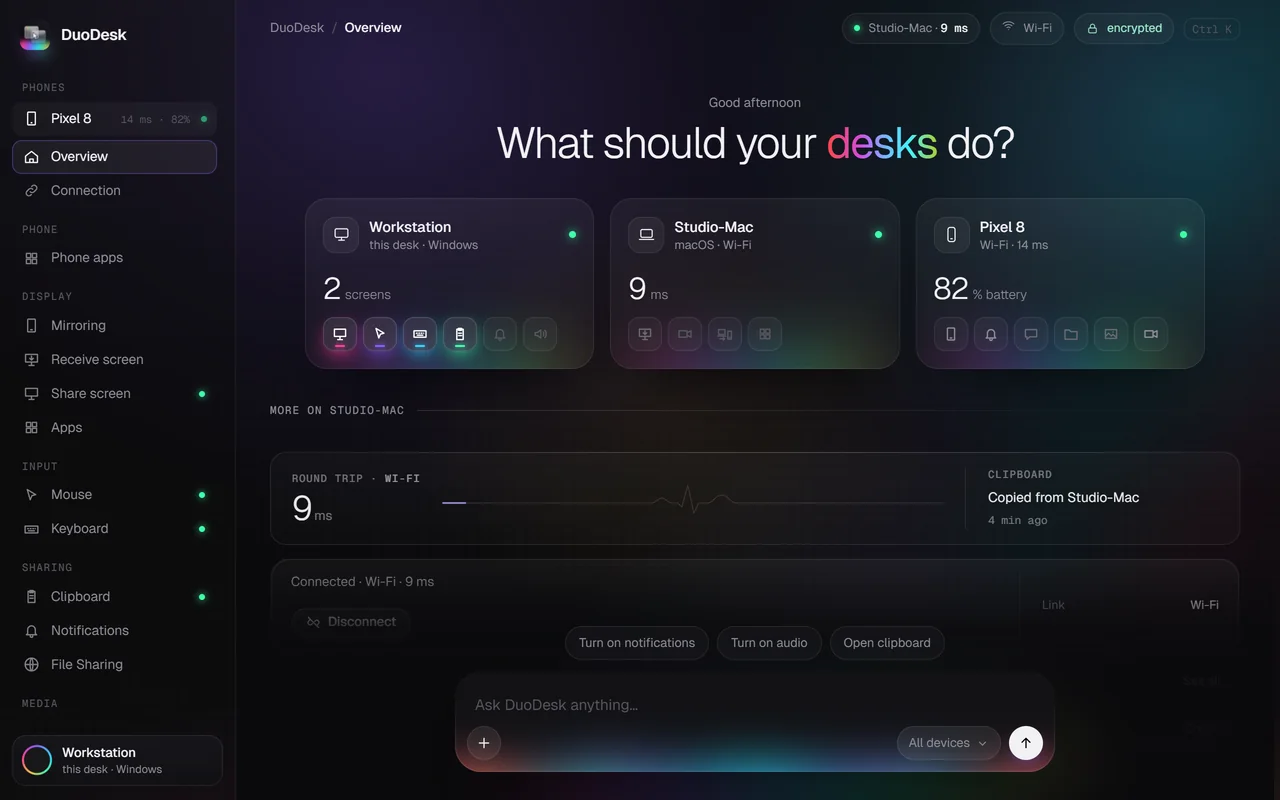
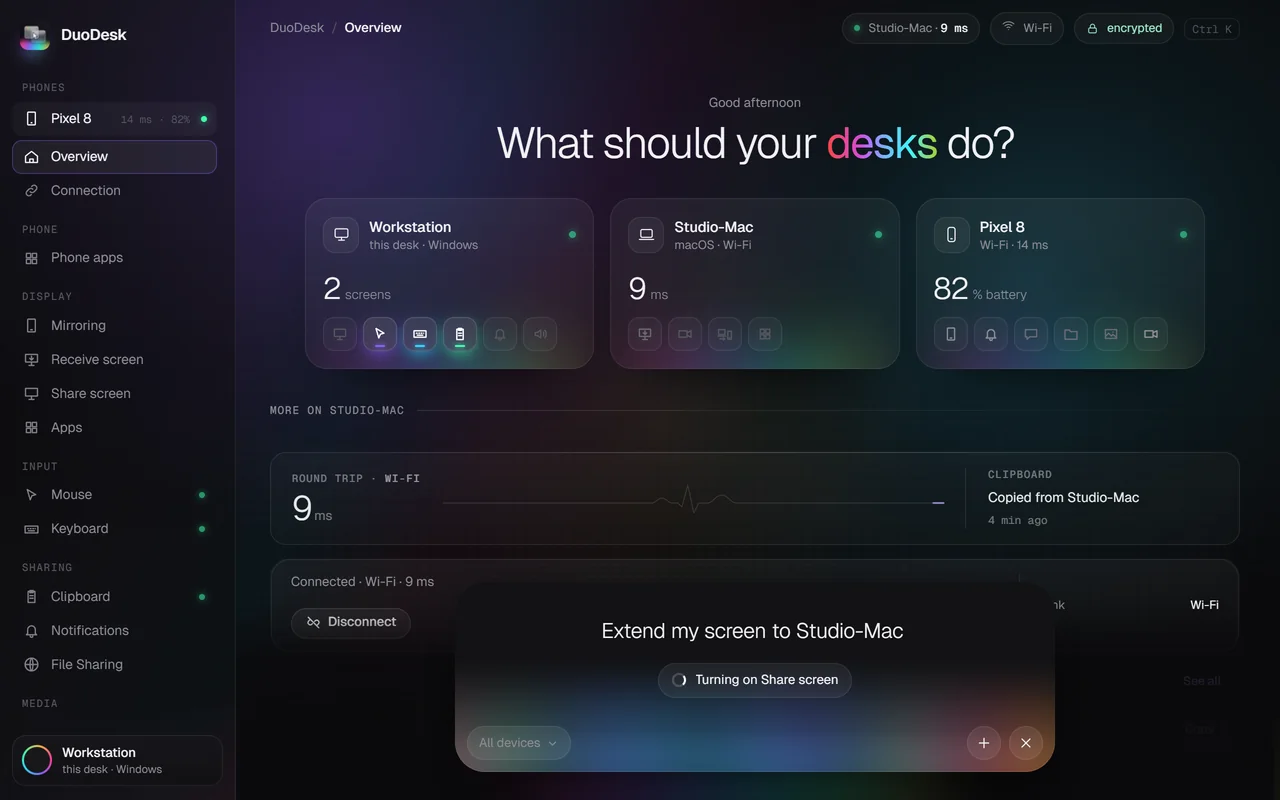
DuoDesk is a free, open-source tool that turns several computers and phones into a single desk: one keyboard and mouse slide across Windows, macOS, Linux, and Android, the clipboard is shared, files can be dragged across screens, and an old laptop or tablet can serve as a second display. There are no accounts, no cloud; devices connect directly to each other and are encrypted.
The author, Movez, said on X that he built this in two days with Claude's Opus 5.5 and didn't write a single line of code himself.
First, let's list the features clearly, because they determine whether it's useful:
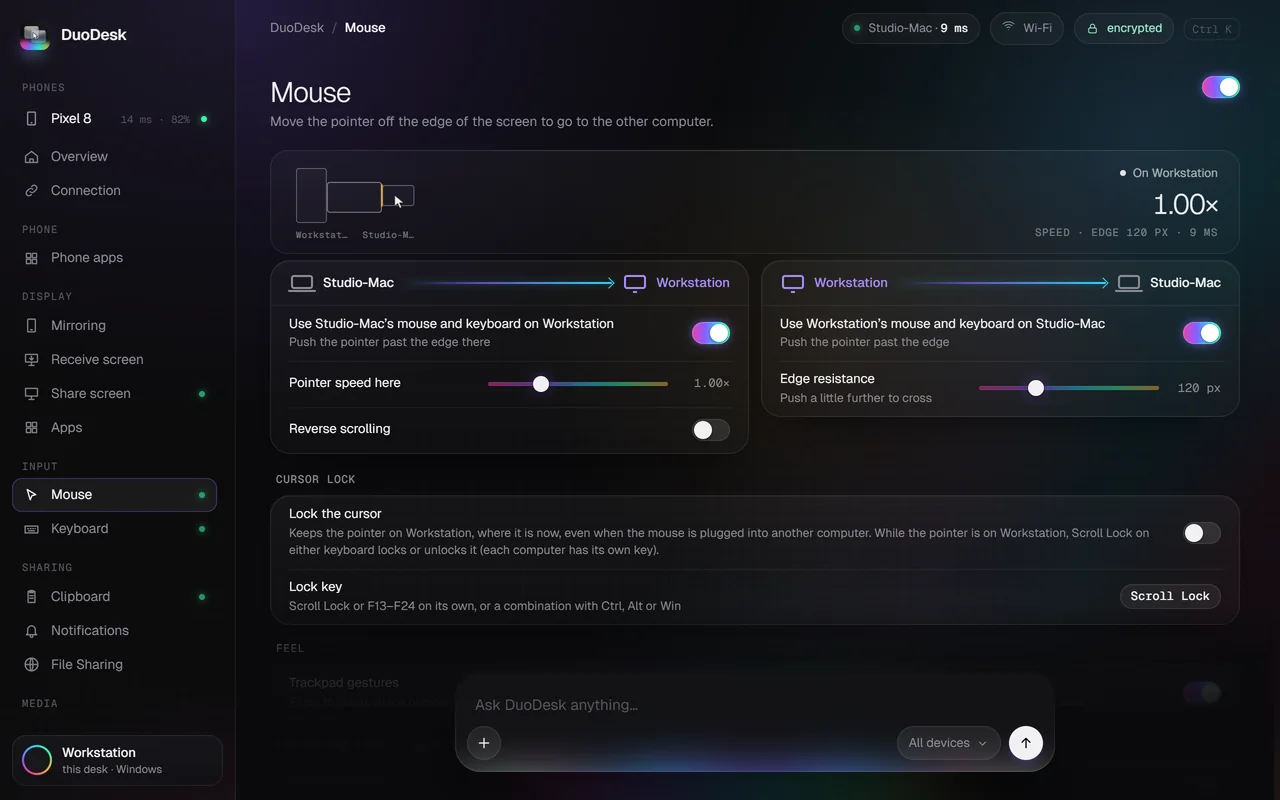
- Push the mouse off the outer edge of one screen and it lands on another computer, with the keyboard and shortcuts following
- Copy on one machine and paste on another—text, images, and files all work
- Drag files directly across screen edges
- Use an old laptop or Android tablet as a second screen
- Apps from another computer can open as standalone windows
- Use your phone with your computer: calls, texts, notifications, and use the phone camera as a webcam
- Connect over the same Wi-Fi, a USB cable, Bluetooth, or a direct Wi-Fi Direct link between devices—even without internet
How He Did It
Movez posted the full prompt. The first step wasn't writing code; it was having the model read the entire codebase—including the Electron apps for each system, shared JS, the C# helper on Windows, Swift on macOS, C on Linux, and the Android side—and first draw an architecture diagram.
The second step was to produce four UI concepts as interactive HTML pages, pick one, revise it until satisfied, and only then touch the actual app.
Then 11 parallel agents modified about 370 files. One detail here deserves separate mention: before starting, he assigned one agent specifically to list everything that 'must absolutely not be renamed'—package names, URL schemes, ports, helper executable names, settings directories, and message names in the protocol. If any of these changed, old devices would no longer be able to pair.
A commenter said the agent responsible only for 'don't change this' was the real MVP. That's not entirely a joke.
There were also mishaps. In the first real-device test, the cursor got stuck at the edge of the Windows screen and couldn't cross; another agent used a test deployment to take down the live site, and Opus rolled it back in 20 seconds, then revoked deployment permissions from all agents. A commenter added: giving an agent deployment permissions is a way to lose a Saturday.
To Be Clear About One Thing
The tweet title says reverse-engineered TeamViewer / AnyDesk. The actual approach was to rebuild on top of an open-source engine; DuoDesk's own official FAQ says: this is a redesigned fork of TwinDesk, original author Inuka Asith, also under GPL-3.0.
That distinction matters. Building a finished product in two days is true, but reverse-engineering an AnyDesk from scratch at the protocol layer is another matter. Being accurate doesn't diminish the value of the result.
Its Current Problems
The official site footer lists Linux X11/Wayland and Android 10+, but the main promotional copy only mentions Windows and Mac. In the comments, a Linux user asked directly: 'Models are all trained and run on Linux, yet the app only covers Windows and Mac?' The author replied by telling him to go test it.
Some people also got an error after installing saying 'make sure you're on the same network,' fiddled with it for a while, and then uninstalled it. There's no iOS version yet. The installers aren't code-signed, so macOS and Windows show a warning on first launch and require manual approval.
How to Use It
- Install the corresponding version on each device; the official site distributes .exe, .dmg, AppImage/.deb, and .apk by OS
- Connect once with a six-digit pairing code; after that, the devices recognize each other on their own
- Turn on only the features you need; the rest are off by default and aren't loaded
Official site: https://getduodesk.vercel.app
Source code: https://github.com/0xCodez/DuoDesk
What's really interesting here isn't that he built a cross-screen tool in two days, but that one agent spent the whole time only telling the other agents 'what not to touch.' Human engineers often do this kind of work too—it just rarely gets written into the process.
发布时间: 2026-11-01 09:37