5 design sites that fill in the parts pages most often lack
Navbar, footer, CTA, scroll animations, and real-product style—these 5 sites cover references from the page skeleton down to the details. Scrolltide gives prompts and source code, so you can get straight to work; for the others, start with the screenshot libraries to solve the problem of having no ideas for a specific spot.
When building a page, you open a blank document, have a row of inspiration sites sitting in your bookmarks, and still don't know where to start with the navbar. The value of reference sites is often overestimated; the places where they can actually save time are quite specific: when you have no ideas for a certain spot, go to the corresponding site and look at a few live cases, break down the structure and copy, and get straight to work. The 5 entry points below are organized by page location.
1. Scrolltide: Turn scroll animations and 3D scenes into paste-ready prompts
Scrolltide is a scroll-driven template and prompt library. Scroll-driven means triggering animations, pinned elements, and 3D scene changes as the page scrolls. It offers 143 templates, 85 components, 55 shader backgrounds, 23 sections, and 14 admin UI screens, covering React, Vite, Next.js, Tailwind, Framer Motion, GSAP, Three.js, WebGL, Shaders, and Lenis. The workflow has three steps: choose a prompt, paste it into Claude, Cursor, or v0, and output a Next.js page. It's suited for projects that need motion effects but don't want to write GSAP and Three.js from scratch.
Look closely at the pricing: the full library is an early-access lifetime one-time payment of $299, and there are free templates such as Otis and SELENE to try first. The site says 13,500+ builders and updates every Friday. Some commenters ask whether it's free; treat the free templates and the paid full library as separate entry points.
Official site: https://www.scrolltide.co/
2. Navbar.gallery: When you have no ideas for the navbar, start by type
The navbar is the first structure users see after entering a page. Navbar.gallery sorts references into static sticky, dropdown, Mega Menu, sidebar, search bar, announcement bar, full-screen menu, and breadcrumbs. A Mega Menu is a large dropdown menu, suited to official sites with many product lines. For admin systems, sidebars and search bars are more direct. Decide the type first, then look at screenshots—it's faster than scrolling through images aimlessly.


Entry: https://www.navbar.gallery/
3. Footer.design: The footer is a closing area—don't treat it like a trash bin
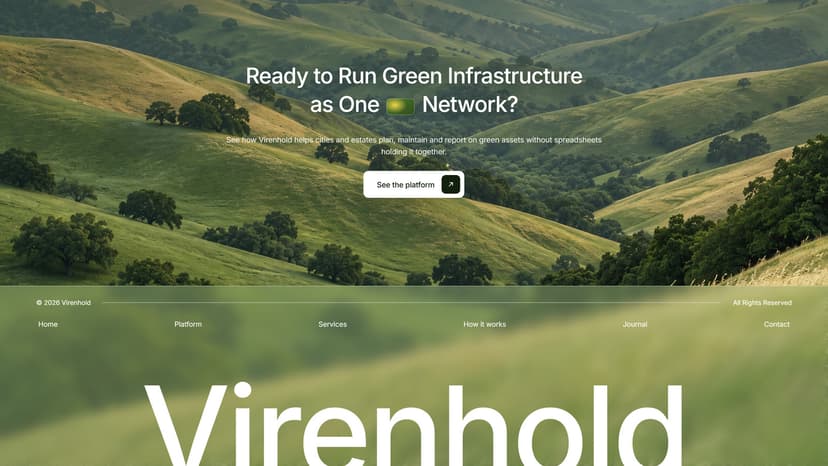
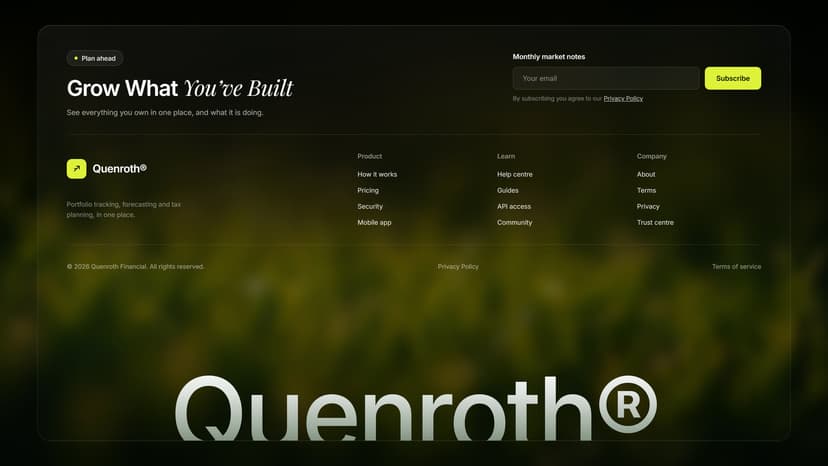
Footers are often treated as a dumping ground for copyright info and social icons. This site focuses on footer design references and is useful for seeing how to arrange secondary navigation, contact details, trust signals, and conversion entry points. After the main body of a page is done, the footer determines whether users can still find the next step before they leave.
Entry: https://www.footer.design/
4. CTA.gallery: Copy, hierarchy, and placement of action buttons
A CTA is an action button—sign-up, purchase, booking, and so on all count. This site collects high-converting CTA references. When looking, don't just look at color; focus on the button's hierarchy on the page, the whitespace around it, the verb in the copy, and the hover state. The button itself isn't complicated; the hard part is making users know where to click next.
Entry: http://cta.gallery
5. styles.refero.design: See design styles from real products
This site collects design styles from real products. Marketing pages are easy to make look good; real products' admin screens, empty states, and data tables are harder to fake. When building an AI product or tool site, you can look here at layout density, component states, and visual style, avoiding relying only on landing pages.
Entry: http://styles.refero.design
These 5 sites can speed up finding references, but they can't replace brand judgment. First determine which part of the page is missing, then go to the corresponding site and find 3 references; break down the structure, copy, and states—don't just save a pile of images. Saving is the cheapest action, and it's also the easiest to mistake for progress. In the comments, some people only wrote 'saved,' and some asked whether it's free. The entry points are all above; opening one is more useful than continuing to save.
发布时间: 2026-11-08 16:30