Claude Steps Into Google Meet, and Meeting Notes Are the Least Important Part
Anthropic turns Claude into a visible participant in meetings: it can create documents on the spot, look up information, and draw on a whiteboard, while notes and transcripts stay in claude.ai after the meeting. It supports Google Meet first, is available in beta for Team and Enterprise plans, and by default stays out when external guests are present.
On November 12, Anthropic released Claude Meetings in beta. It launched first on Google Meet and is available on Team and Enterprise plans. Claude joins meetings as a visible participant—without stealing the spotlight—listening and working as the conversation unfolds.
You say in the meeting: “Claude, start a document for this proposal.” It turns the discussion so far into a first draft; teammates keep talking, and they can edit it directly. When the conversation turns to budget and someone asks how much last year's event cost, Claude first asks for approval, then checks the connected tools, posts the result into the meeting chat, and, while it is at it, compares it with the current proposal. If the timeline stalls, have it bring up a whiteboard. As the meeting nears its end, have it send out a recap. After the meeting, the notes, action items, transcript, and everything it made are on the meeting page in claude.ai.
It captures transcripts, summaries, and screen descriptions, but does not store audio. It appears as a participant when it joins and posts a notice in the meeting chat. By default, it answers in text. When questions are asked verbally, it must confirm who is speaking each time; answers in chat are visible to everyone. To use a specific person's connected tools, it first gets that person's permission; after the first approval, it continues to use them.
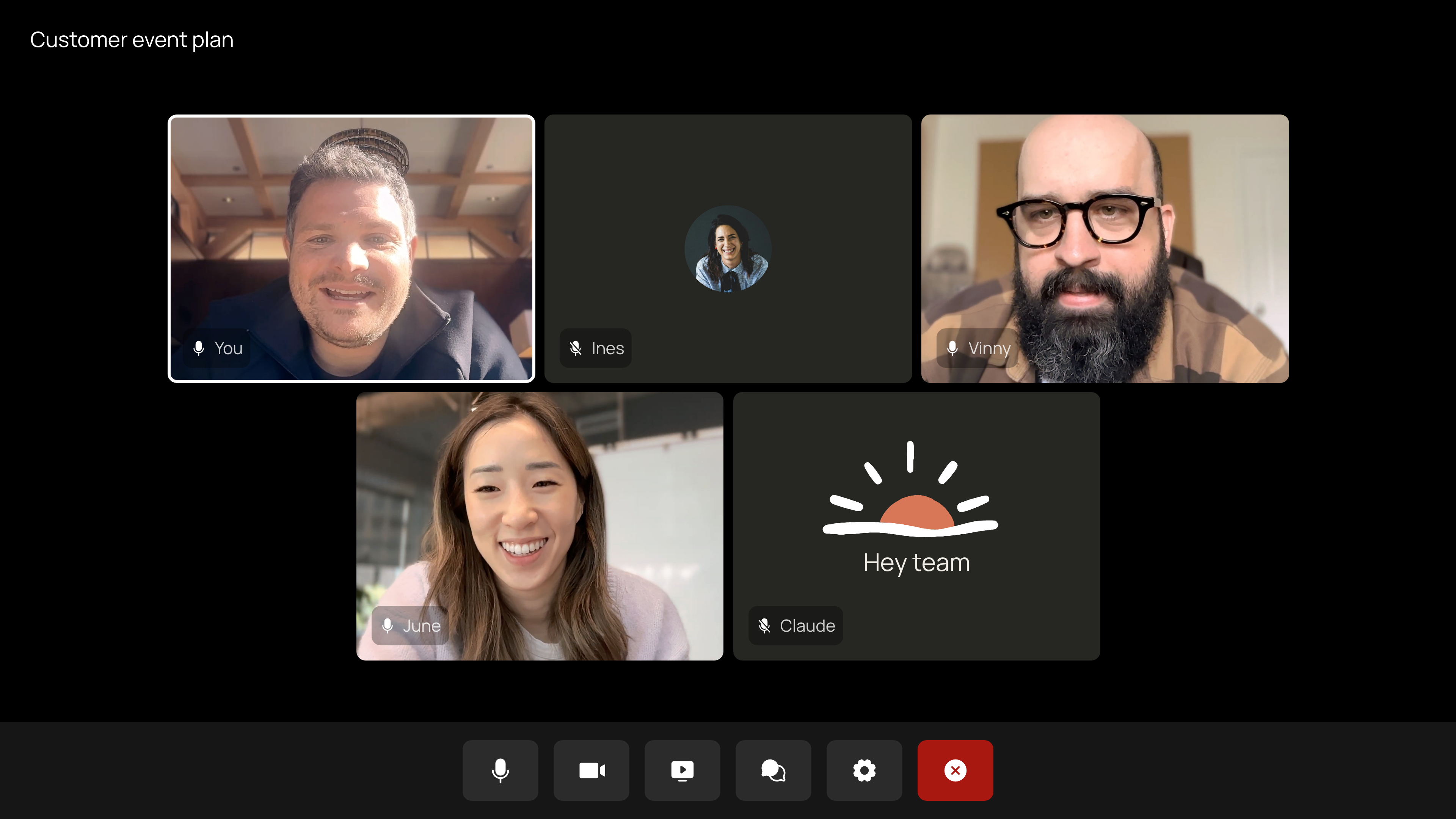
The privacy boundaries are spelled out clearly. By default, Claude does not join when external people are invited; if an external person joins midway, it leaves. Administrators can change this. In meetings where external guests are allowed, Claude posts a notice in the chat but does not reply there; what external guests say goes into the notes and transcript. Each meeting has a separate page in claude.ai; invited people within the organization can view and edit it, and it can be shared within the organization.

During the beta, notes and transcripts are free for Team and Enterprise. Answers in meetings are also free unless connected tools are used; that portion counts toward plan usage. Documents, whiteboards, and artifacts it creates in meetings are free until February 10, 2027. It is temporarily unavailable to some organizations, including those with ZDR, HIPAA-ready, and CMEK configurations. Currently, only Google Meet is supported; other platforms are said to be coming. Team plans allow Claude to be invited by default, and administrators can turn this off; for Enterprise, administrators enable it for all or part of the organization. Anthropic is also integrating with Granola, Fireflies, Otter, Gong, Attention, and Plaud, so meeting transcripts can later be sent to these tools.
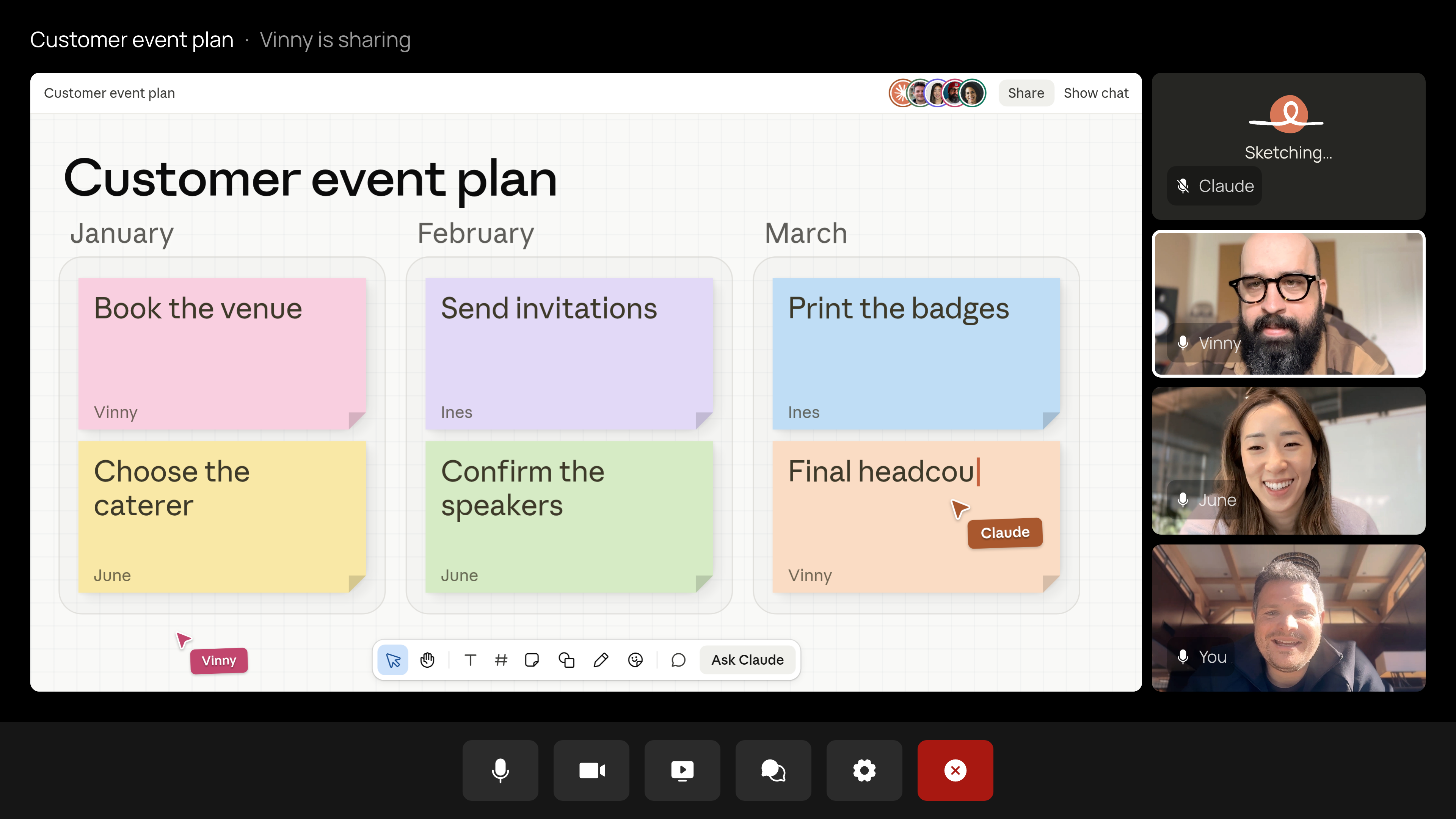
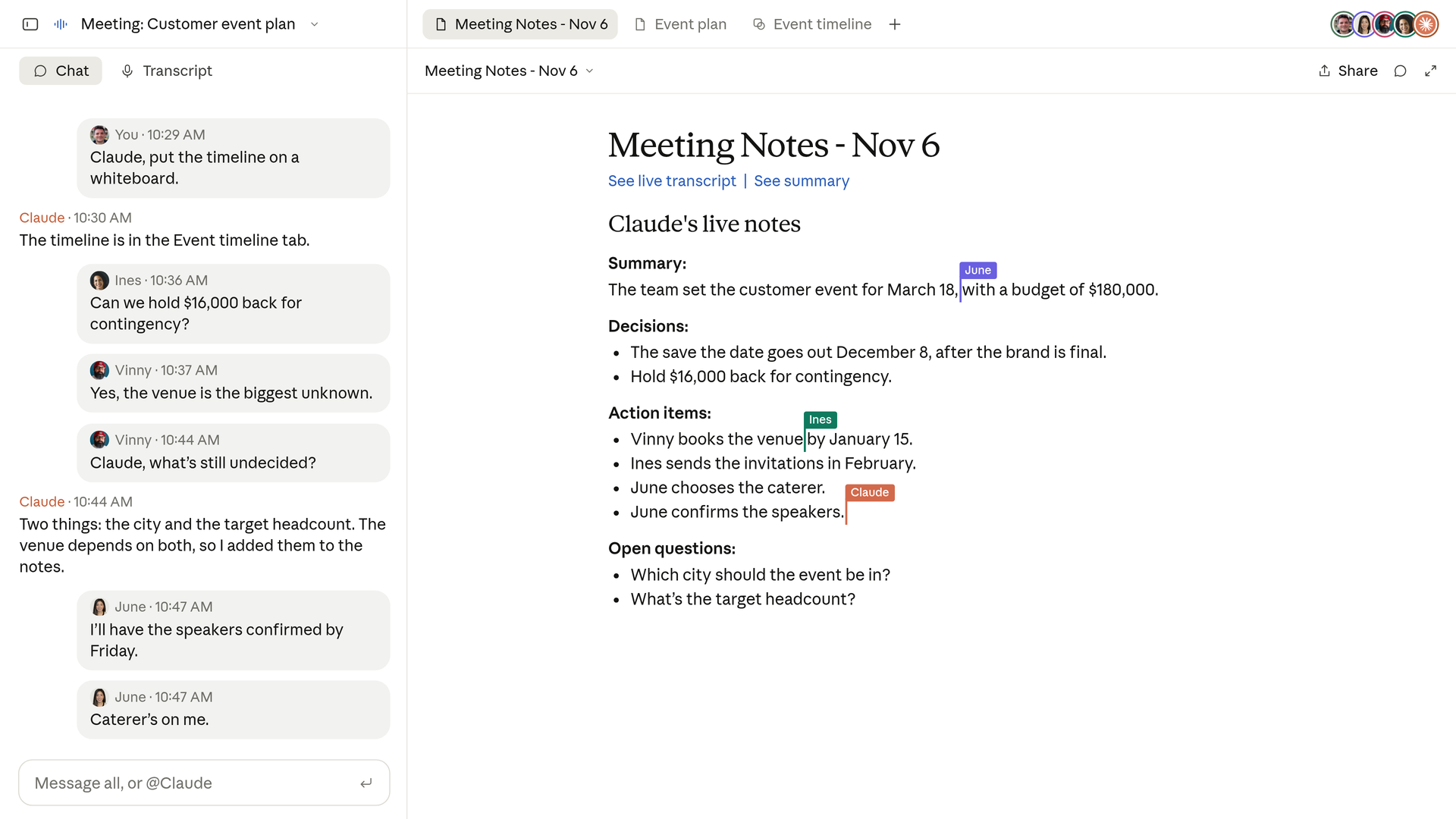
Most AI meeting tools on the market put the work after the meeting: recording, transcription, summarization, and action items. Claude Meetings moves the action forward into the meeting itself, with documents, whiteboards, and lookups following the conversation. The change isn't flashy, but it changes where meeting outputs start. Before, you waited for notes after the meeting; now, halfway through, the document is already editable. The complications come with it: who can view, who can edit, and how far tool permissions go are all more worth watching than summary quality.
Some people online started joking as soon as they saw the launch, saying Zoom investors are watching, Teams developers are watching, and 1,000 startups are about to RIP.

To be realistic, Claude Meetings is currently in beta only on Google Meet, with Team and Enterprise plans trying it first, and it is still far from pushing anyone out of the market. What it really touches first is the line between meeting records and collaborative documents.
Would you be willing to let a visible AI into your meetings? Or do you still think having one more participant in the room is a bit strange?
Full release notes: Claude's official tweet, product article.
发布时间: 2026-11-13 16:25