The Truth About Always-On Agents: Mostly Sleeping, Waking Up to Check the Inbox
Anthropic's engineering guide breaks down five primitives of always-on agents: event inbox, timers, memory, permissions, and outbox. A commenter adds: if it can't remember where it left off, it's just a cron job with opinions.
Anthropic recently published an engineering guide on how to build always-on agents. It first corrects a common misconception: "always-on" doesn't mean running non-stop 24/7. The reality is sleeping for a long time, running briefly, saving state, and sleeping again. Users feel like it's always there, but tokens only burn during short runs. The original article was written by William Hu and published on November 13, 2026: Building always-on agents. Tekon Burns condensed the core into five points in a tweet, original post here.
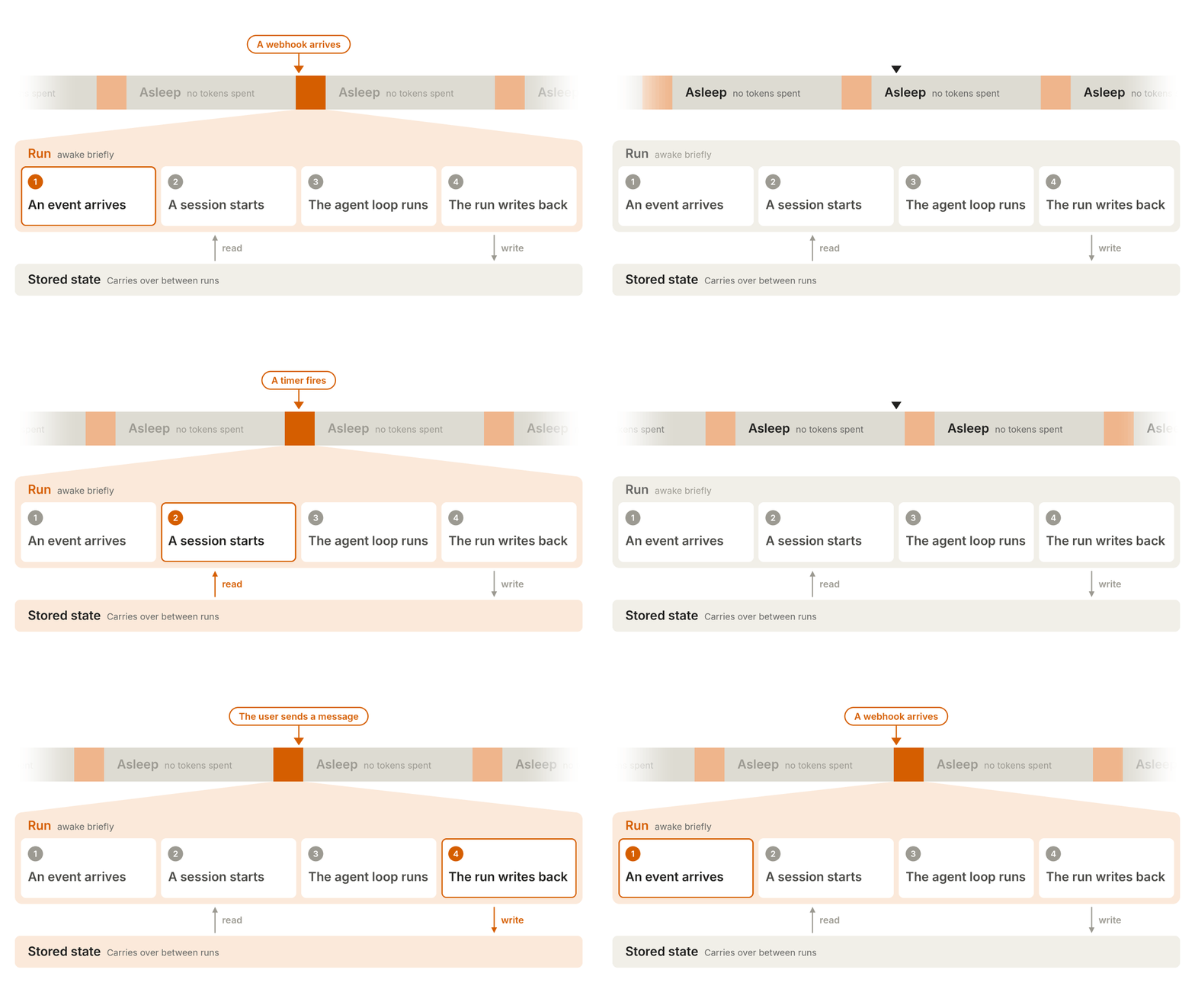
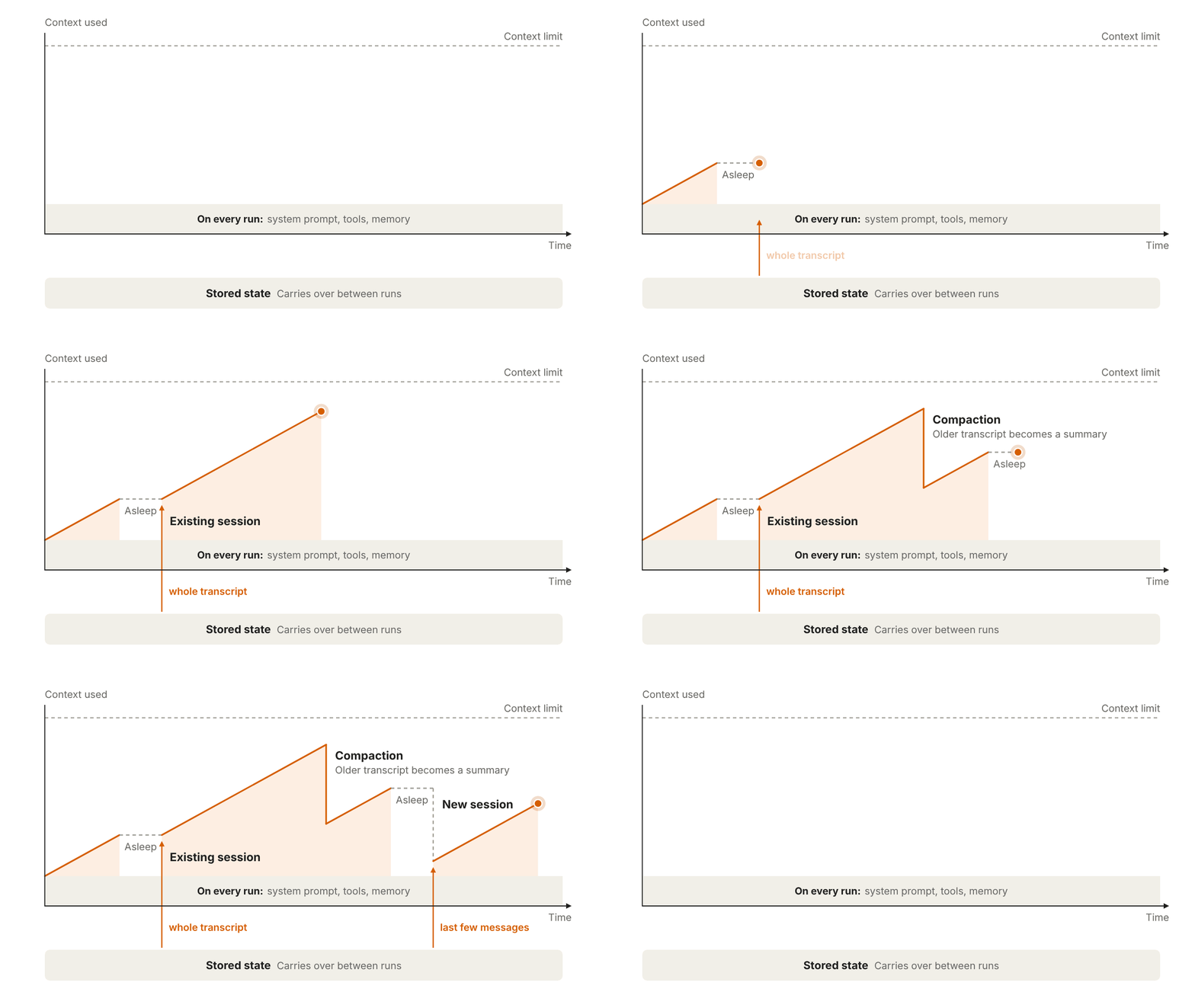
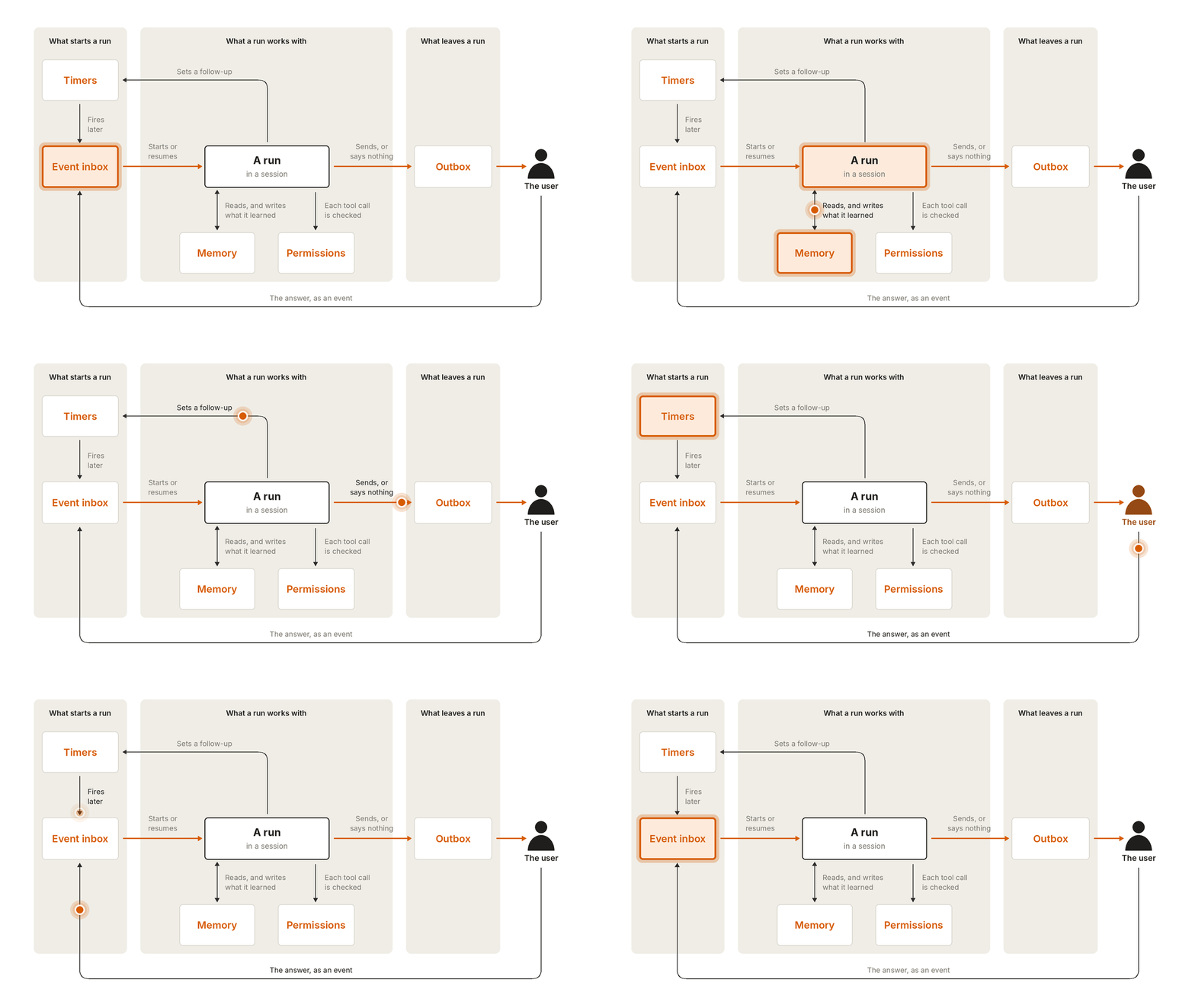
Each run has four steps: an event arrives, a session starts, the agent loop runs the task, and state is written back. The run ends, and the agent goes back to sleep. Sounds like slacking off, but this is the prerequisite for controllable costs.
1. Event Inbox
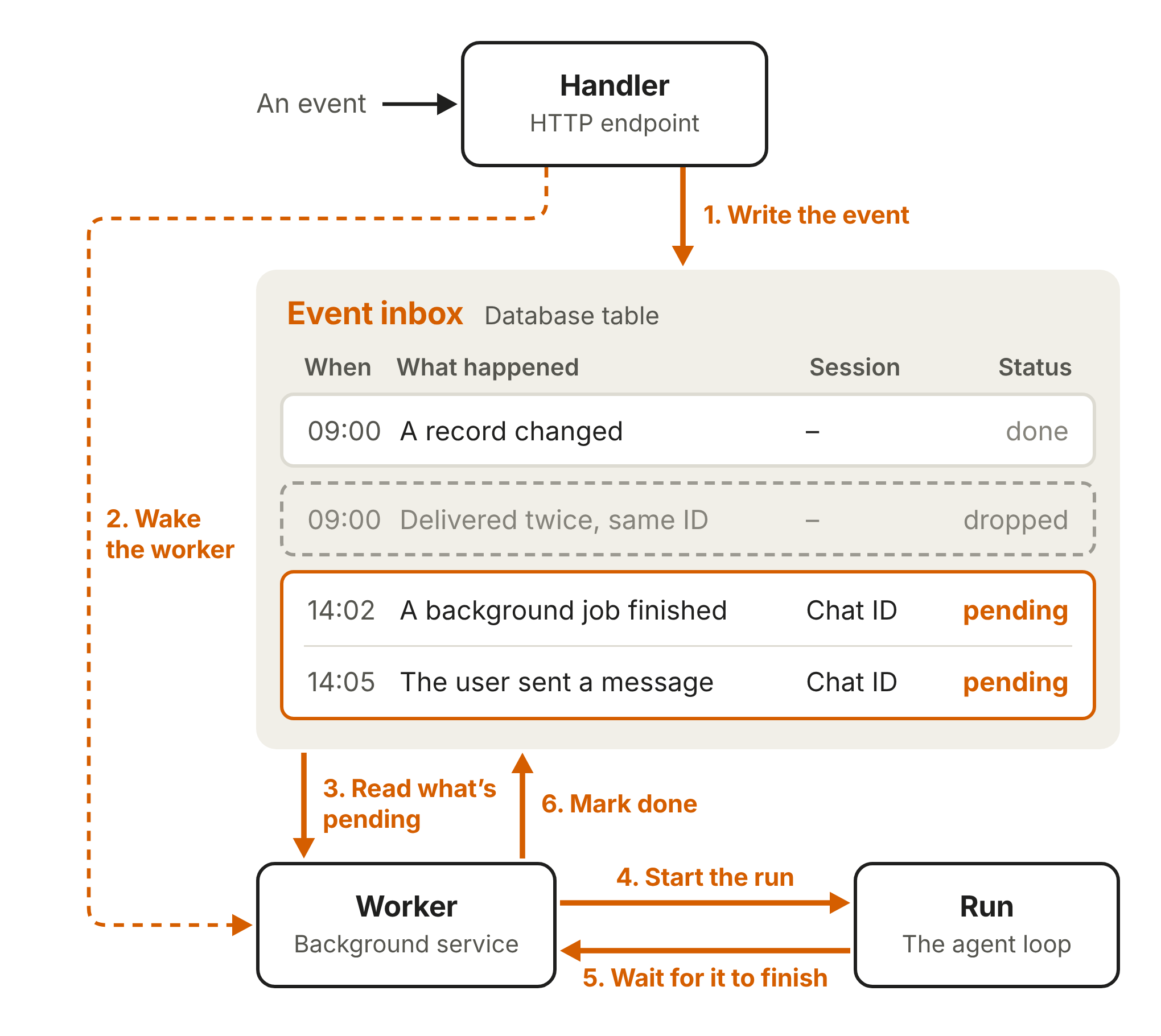
Many agents are only triggered by user messages. Always-on agents get triggered by webhooks, scheduled tasks, and background jobs. Don't let every event source call the agent directly. Two simultaneous events will race, and a crash will lose events.
The approach is to put a database table between the webhook and the agent. The handler quickly acks, the worker fetches pending tasks from the table and marks them done after running. Keep only one active worker per user at a time to avoid duplication and overwrites. Consecutive messages can be merged into one run. The guide recommends deduplicating by source unique ID; the inbox is the source of truth, and if a worker dies, a new worker can retry. A commenter asked how to ensure idempotency with duplicate webhook deliveries—the answer lies in this layer.
2. Timers
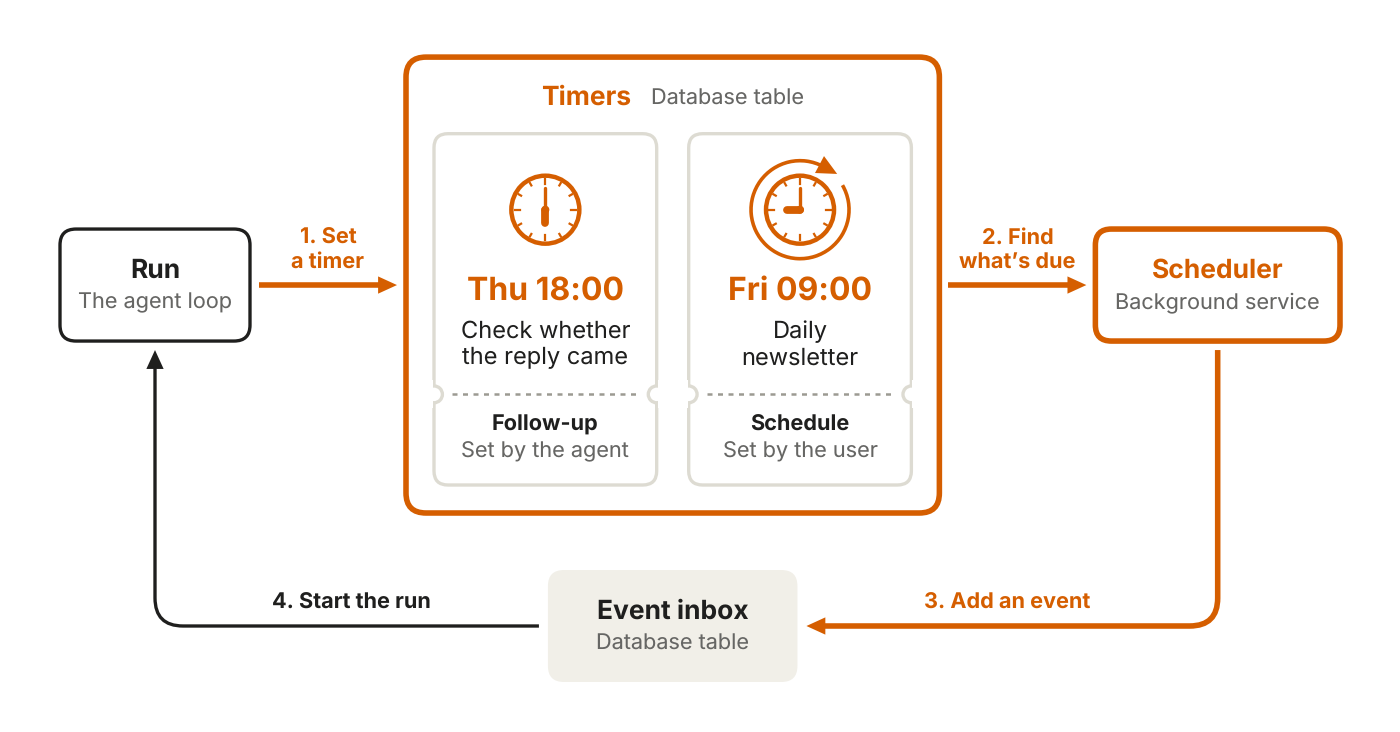
Timers get their own table; don't mix them into the inbox. Two types: follow-ups that the agent sets for itself, and periodic schedules set by the user. The scheduler polls due items, drops events into the inbox, and wakes up the worker.
A commenter shared that their loop wakes up every 54 minutes to avoid the 55-minute automatic compaction and keep the cache warm. This is experience, not a mandatory guide item.
3. Memory
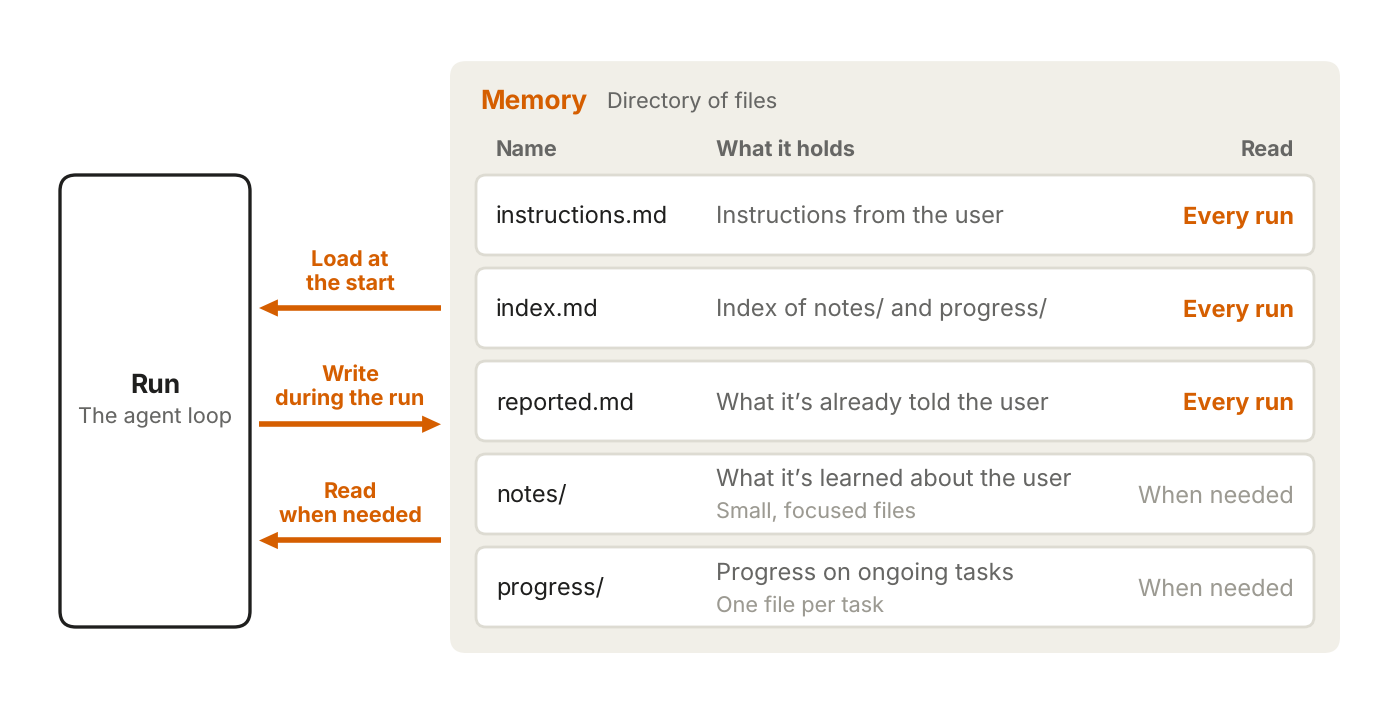
Only store what can't be looked up: user instructions, user notes, past messages, task progress. On wake, load a small index, not all files. Pull details when needed. Do dreaming regularly to clean up expired facts.
The fixed overhead of the context window is always there, so system prompts, tool definitions, and memory indexes should be lean; enable prompt caching. A Japanese developer said the key to an always-on entity is whether the last work can be correctly handed off to the next. Commenter Lozo put it more directly: if an agent forgets where it stopped, it's just a cron job with opinions.
4. Permissions
Always-on agents are the highest risk because they're unattended and hold user permissions. Don't put API keys in the agent sandbox; inject them via an external proxy. Deferred Tool Calls pause dangerous actions for approval; the run ends and saves the session, the user's answer comes back as a new event, and the worker doesn't block.
Commenter The SI Maximalist added safe retries: if a run crashes after "email sent", it must not resend on next wake. Tekon Burns replied with idempotency keys. These details aren't sexy, but production environments can't avoid them.
5. Outbox
There's a lot of background work, and users don't need the step-by-step process. A run ends in three ways: send a message, don't send, or deferred request. The outbox is the outbound message table; the dispatcher controls delivery pacing to avoid bombing at 3 AM.
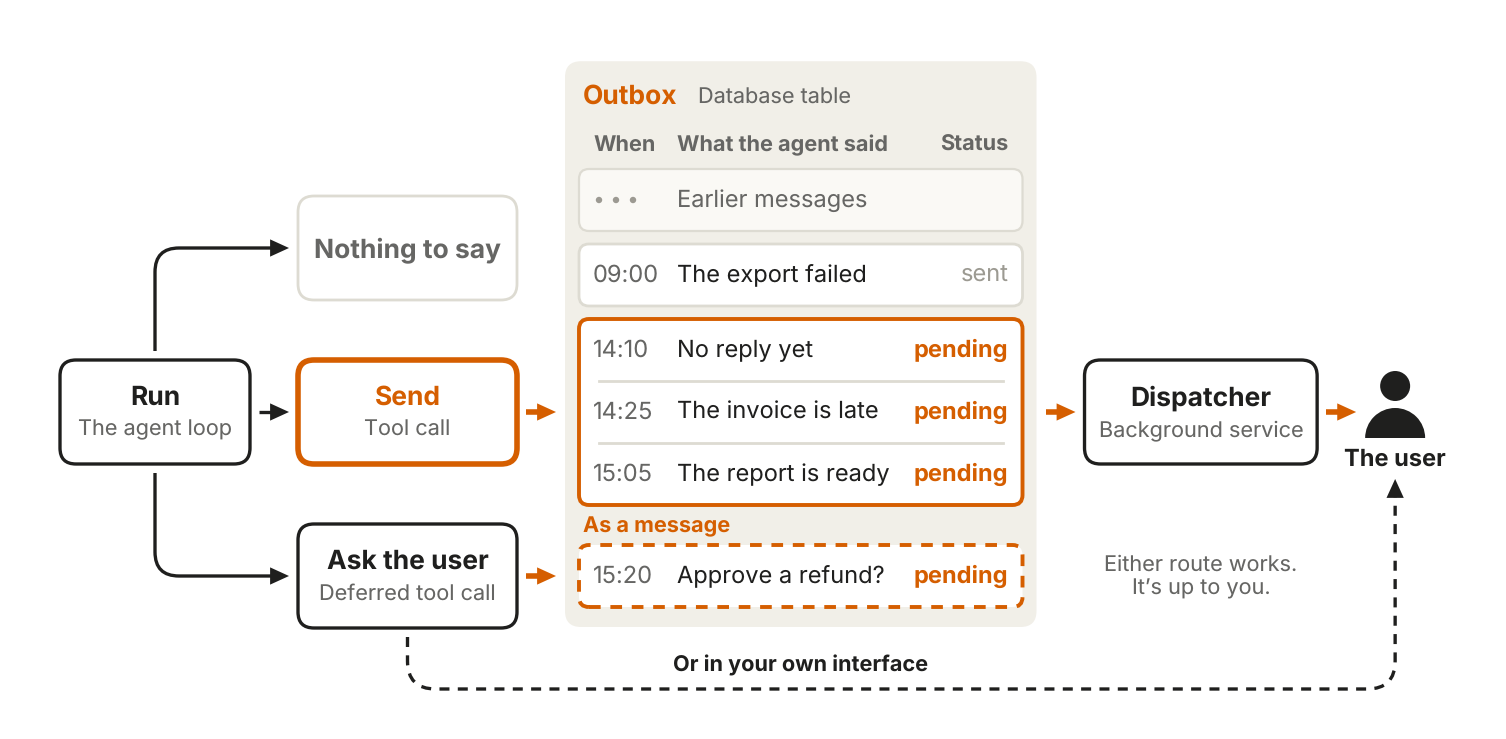
Commenter Lao Wang's Lab reminded that the outbox should also do relevance checks when sending. A queued reminder may already be outdated, the user handled it, or a new message changed the plan. Persistent delivery is useful; persistent delivery of outdated suggestions is not.
Doubts Are Worth Including Too
Balázs Kerek's comment is sharp: this is just function calls plus cron, with no session continuity—just using good context handling and tools to simulate continuity.
This architecture indeed doesn't invent new magic. It breaks unreliable long runs into recoverable short runs. What really separates production quality is the unsexy stuff: idempotency, permissions, notification relevance. Sounds like adding a diary and a key cabinet to cron, but if the diary is poorly written and the keys are left around, the agent will send you a second email at 3 AM.
发布时间: 2026-11-14 11:26