Deleted a Production Table at 3 A.M.? LangSmith Gave Agents a Bouncer
LangChain releases the LangSmith Tool Gateway public beta. This hosted tool layer centrally handles credentials, identity, and access for Agent tool calls, with three-layer governance covering Access, Control, and Visibility. For Agent privilege escalation, there is now a more reliable solution than system prompts.
At 3 a.m., the inventory Agent begins its daily reconciliation. If it calls an unauthorized tool or uses the wrong credentials, the result could be a DELETE executed against a production table.
One commenter put it bluntly: Agents deleting things they shouldn't is a real problem. Rather than begging the model in the system prompt to behave, it's better to add a gateway. Another commenter added: This feature is essentially an ID-checking bouncer that stops the Agent before it accidentally drops a production table at 3 a.m.
Writing "be careful" a hundred times in a system prompt is no match for giving the Agent a bouncer.
LangChain today released the Public Beta of LangSmith Tool Gateway. LangSmith is LangChain's agent engineering platform, integrating building, observability, evaluation, and governance capabilities. Tool Gateway is a new hosted tool layer on the platform that handles credentials, identity, and access for every Agent tool call. Three-layer governance: Access, Control, and Visibility.

Three-Layer Governance
Tool Gateway lets callers route tool requests through a single URL. For each call, it resolves identity, manages access, and records a trace.
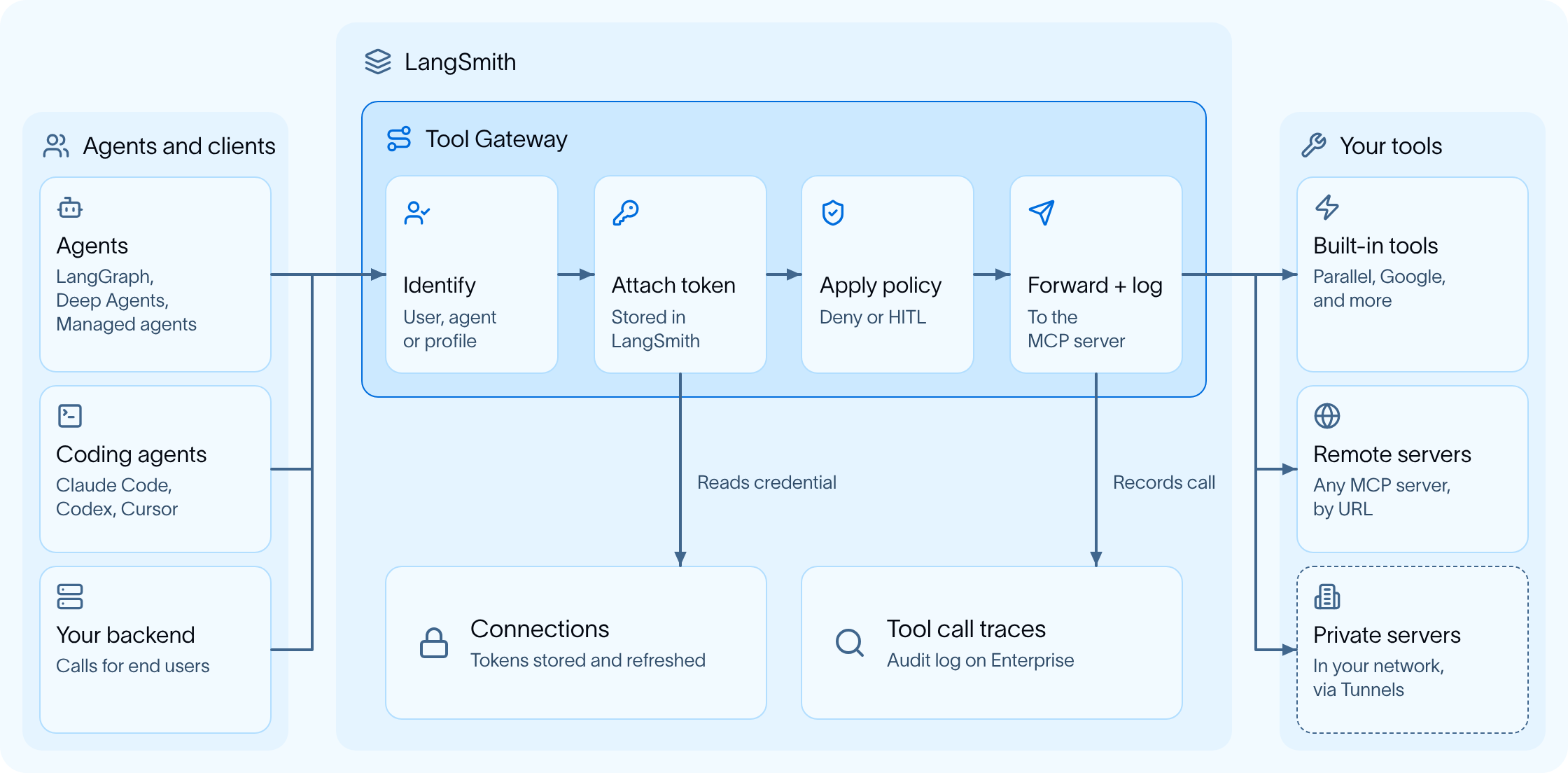
Access: Define Who Can Use What, and Under Whose Identity
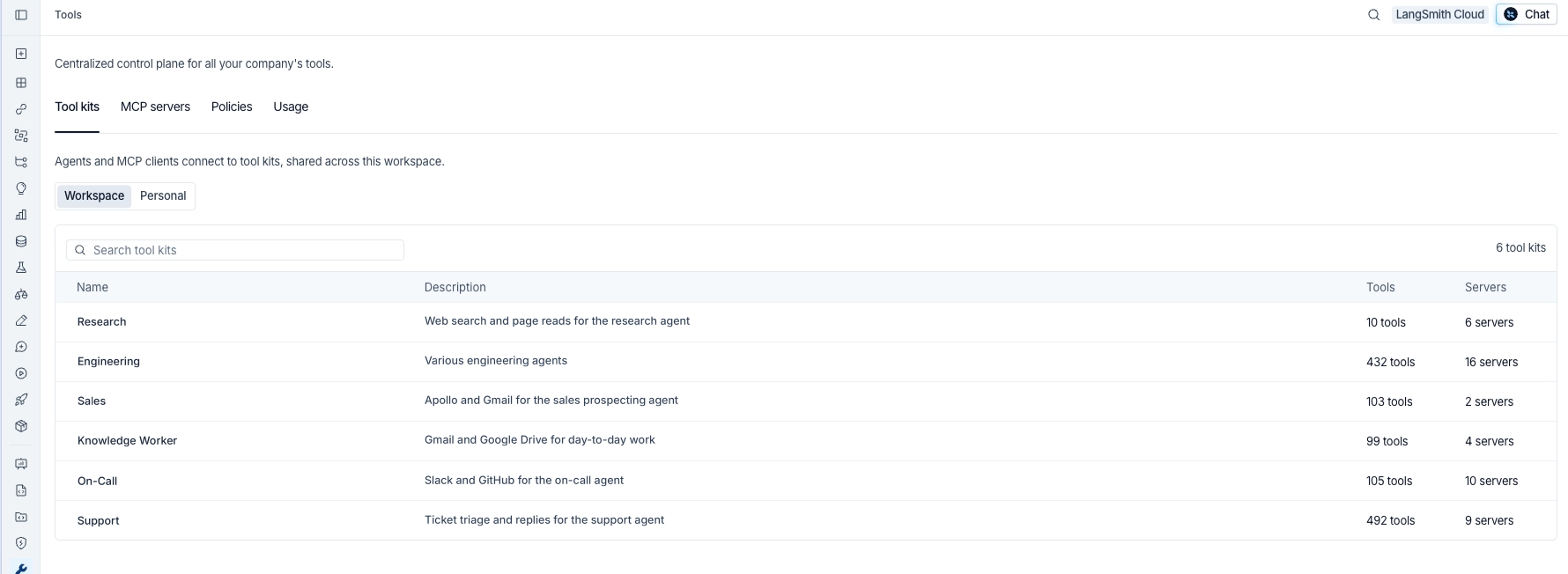
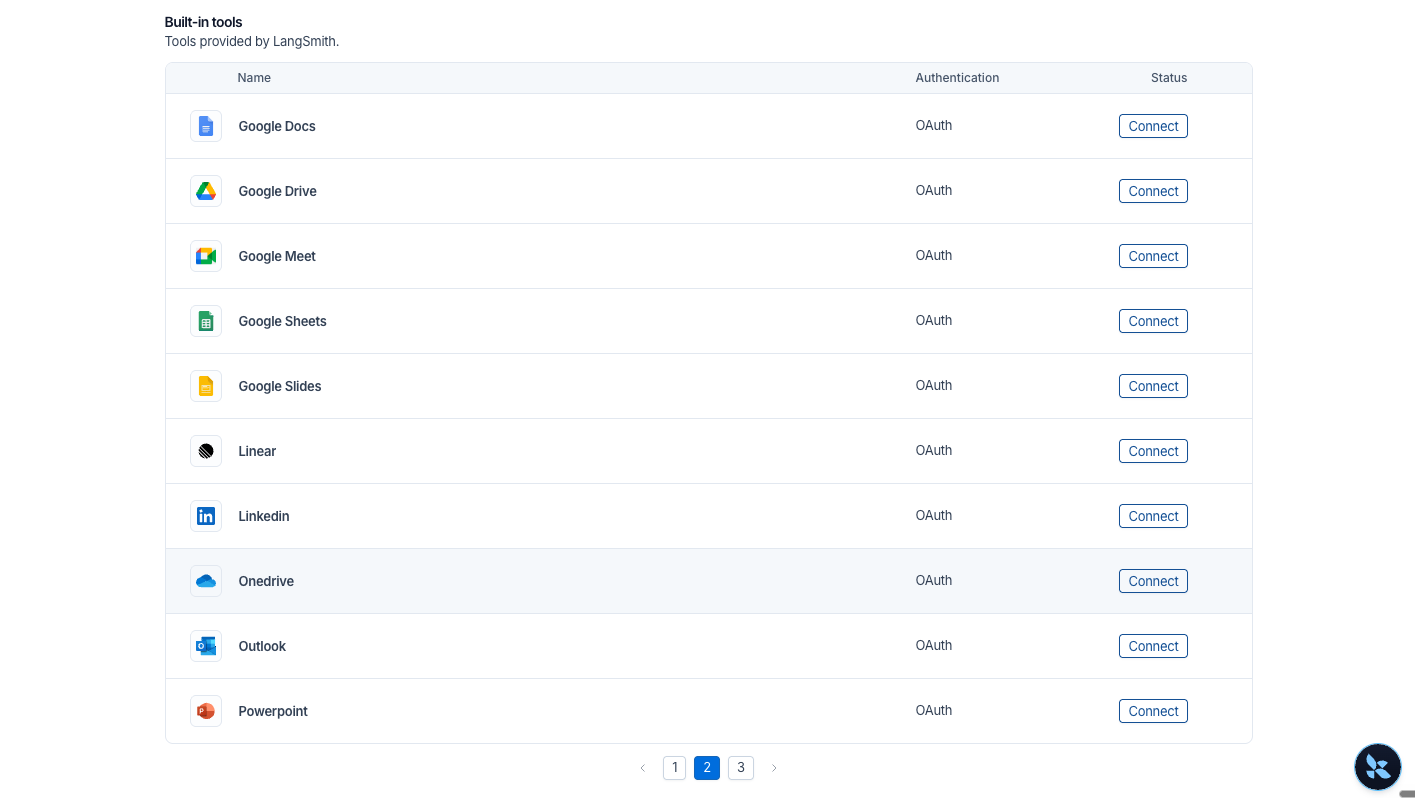
Tool servers are registered once. MCP (Model Context Protocol, the standard protocol connecting models to external tools) servers are added via URL. Popular applications such as Google, Salesforce, and GitHub have built-in servers, so you don't need to build your own, and you don't need to write OAuth yourself.
A Tool Kit is a curated collection of tools published under a single URL. When an Agent connects to a Tool Kit, it can only see the tools in that kit. When there are thousands of tools, you can use search mode to load relevant tools by task and avoid latency.
There are two types of identity resolution. Run as the user: users log in through Okta or Entra ID, connect their account once, and subsequent calls use the user's own credentials. If the user hasn't connected yet, the call returns a login link and automatically continues after authentication. Run as the Agent: administrators configure a shared credential Profile, suitable for Agents running autonomously in the background.
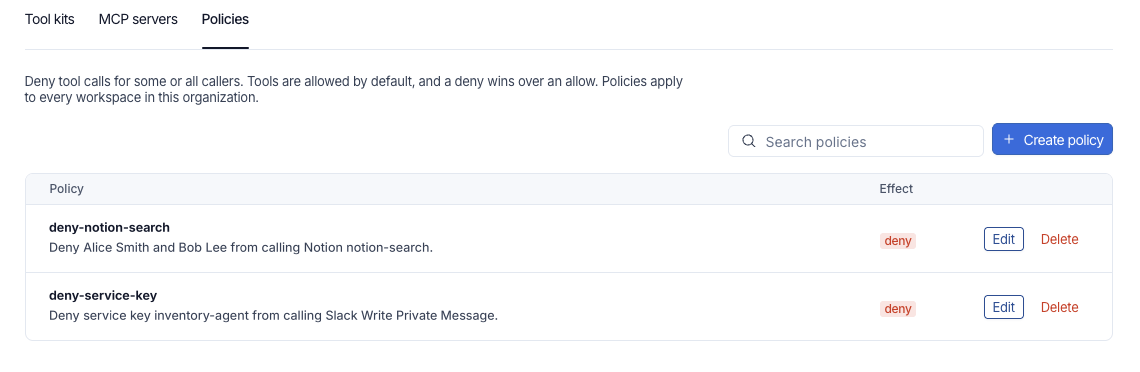
Control: Policies and Approvals
Deny policies are set at the org or workspace level, with granularity down to users, service keys, or combinations. Approval policies require sensitive tool calls to be manually confirmed in the MCP client. For example, a tool that writes to a data warehouse requires human review before every call.
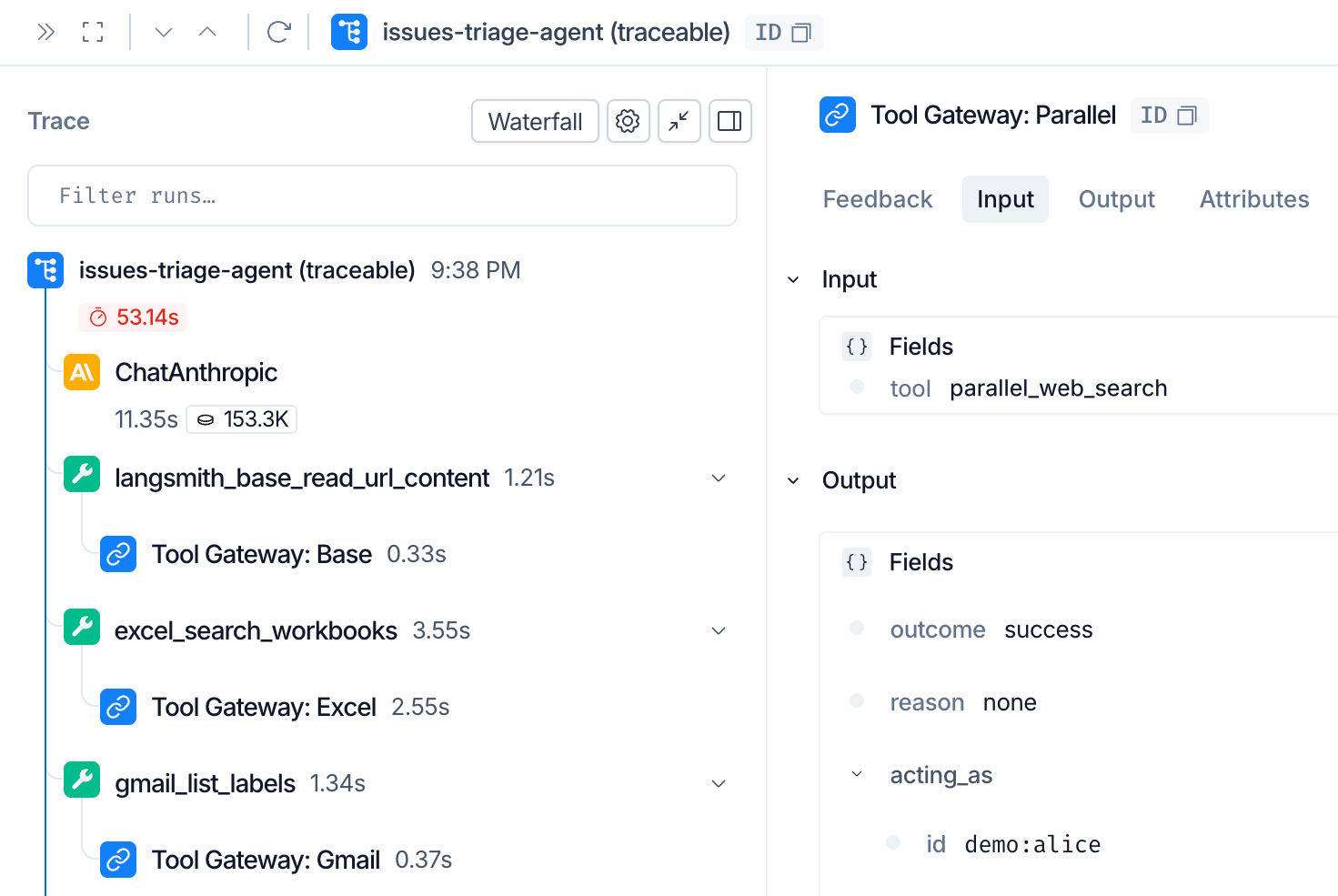
Visibility: Every Call Is Recorded
Tool calls automatically appear in the Agent's trace, including the tool, server, user, result, and duration. Data content does not enter logs, so sensitive information does not end up in records. Enterprise edition has audit logs that can answer questions like "Which tools did this Agent use at 3 a.m., and under whose identity?"
Built-in Servers
| Type | Action | Built-in Servers |
|---|---|---|
| LangSmith hosted login | Click Connect to log in; LangSmith runs OAuth | Google, Microsoft, Salesforce, GitHub, Linear, LinkedIn |
| API key or public | Turn on the switch and add an API key | Parallel Search, Exa, Tavily, Apollo, Ashby, Pylon, web reading |
Five Steps to Get Started
- Open Tools in LangSmith
- Add a server: register an MCP server URL or enable a built-in server
- Connect an account: log in once or save an API key
- Build a Tool Kit: select the tools the Agent needs and generate an MCP URL
- Point to the Tool Kit URL: compatible with any MCP client, including LangChain, Deep Agents, Claude Code, and Cursor
Why the Tool Layer
LLM Gateway manages model calls, and Tool Gateway manages tool calls; together they cover the full behavior of an Agent. The official blog has a case study: a large retailer built more than 50 MCP servers exposing thousands of tools, and each Agent should use only a small subset of them. Hardcoding credentials provides no deterministic checks, and security teams cannot audit it. Tool Gateway consolidates access, identity, policy, and logging into a hosted layer, so engineering teams don't have to reinvent the authentication wheel.
The public beta is now open; just open Tools in LangSmith to use it.
发布时间: 2026-11-20 06:56