Pi Bot goes open source: a group of AI bots divide the work inside your computer, and require your approval before changing files
Apache-2.0, local-first. Chats, files, memory, and keys stay on your machine. Bots in a group chat can plan, run commands, and modify files. The boundaries are clear too: cloud models still see what you send out, and on Windows every command must be confirmed.
Pi Bot is open source under Apache-2.0.
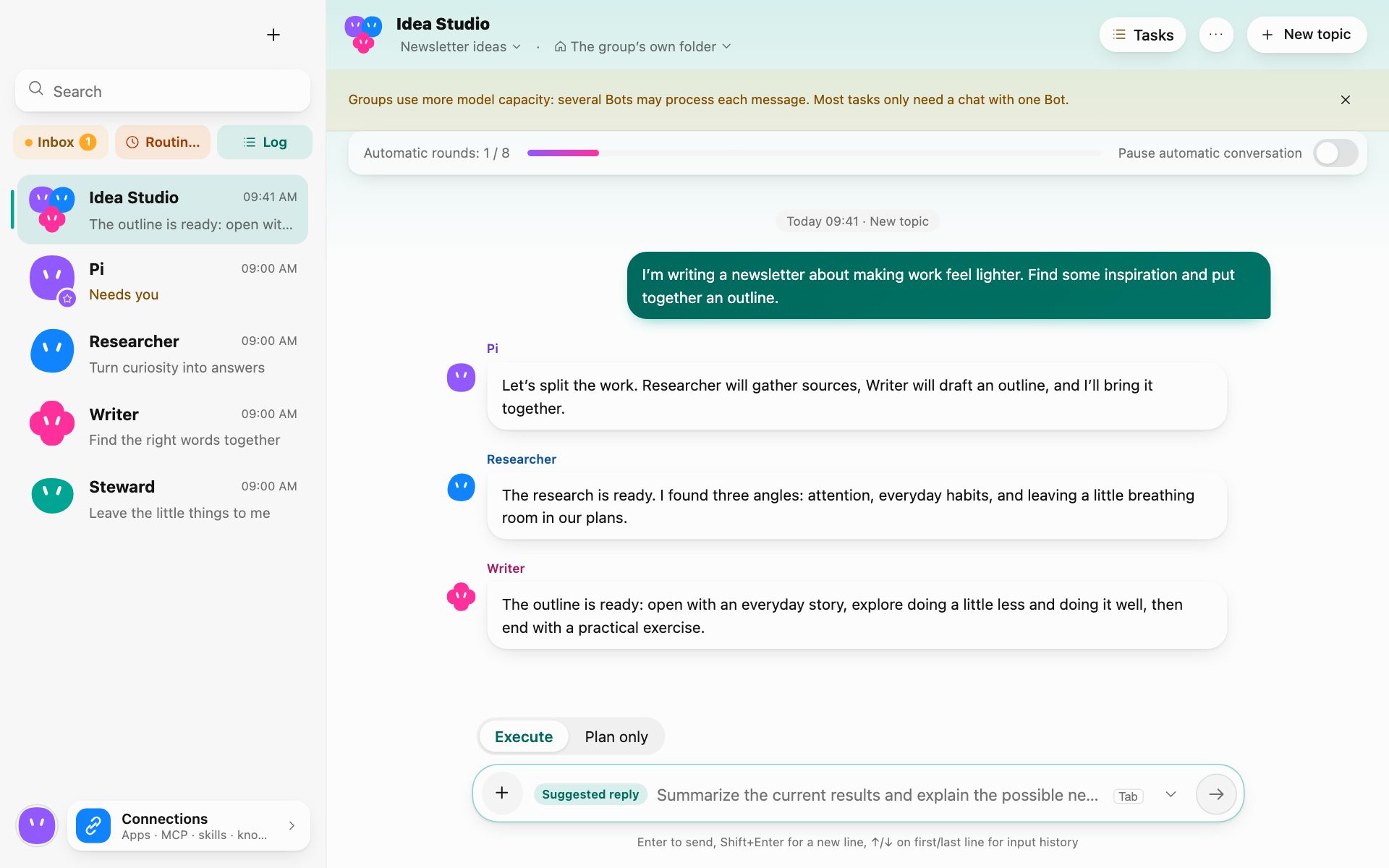
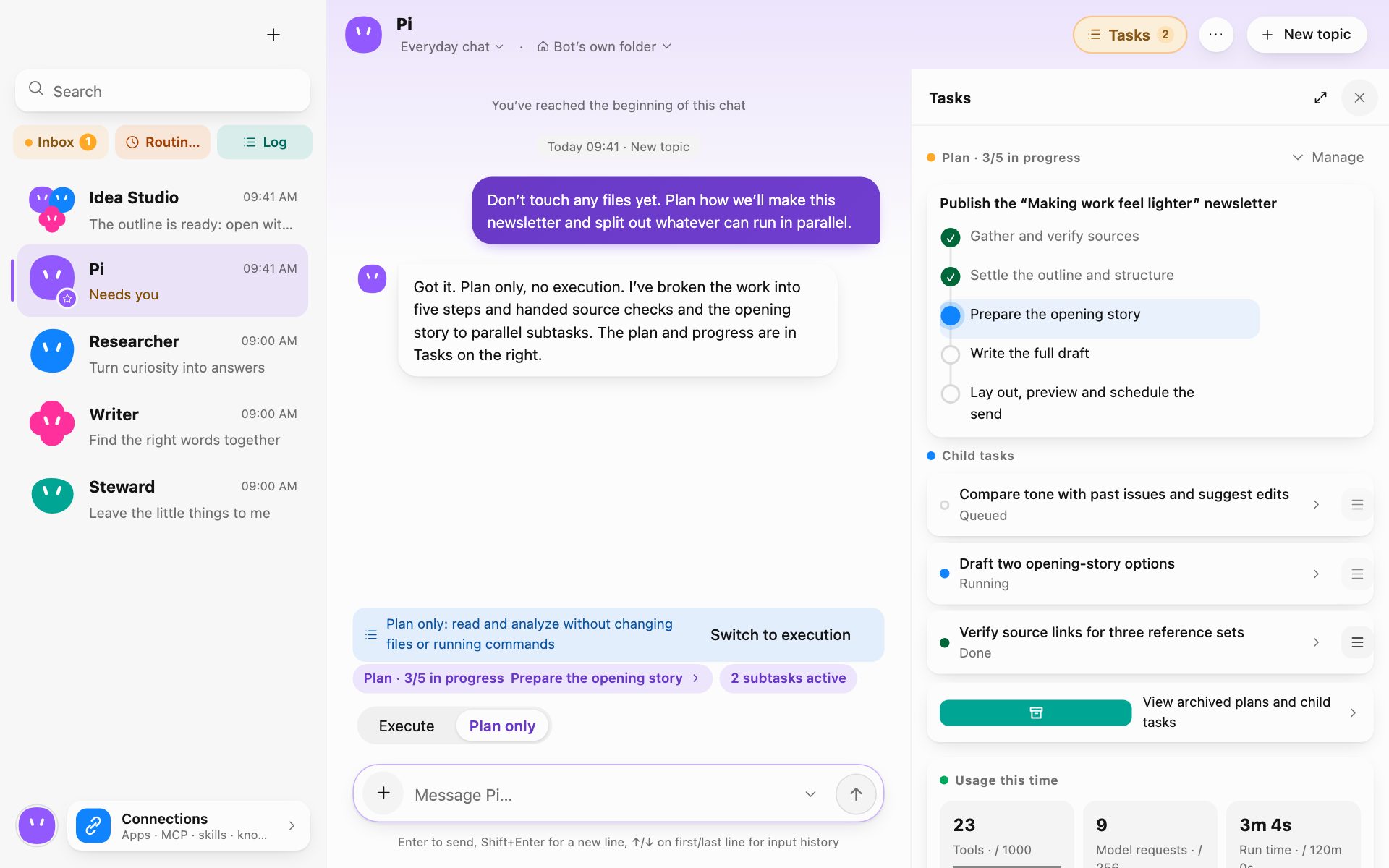
It puts a group of named Bots on your own computer. You can chat privately with one Bot, or pull several into a group: in the group, a coordinator makes a plan first, then assigns the steps to roles such as development, research, writing, and translation. Bots can read the working folder you specify, run commands, modify files, and hand the results to the next one. Risky steps wait for your approval.
The author included a demo video in the tweet:
The group chat screenshot on the official website makes this division of labor clear. Sessions are on the left, tasks and progress on the right. The screenshot uses sample data.
The plan panel looks like this: one task is broken into several steps, then assigned to different Bots.
The boundaries of local-first
Pi Bot's design keeps the local brain on your machine. Chats, files, memory, and keys stay on the computer. The model provider you choose will see what is sent out. If you want maximum privacy, use a self-hosted model or a local Ollama model. This distinction matters: local-first does not mean all data never leaves the device; model calls are that boundary.
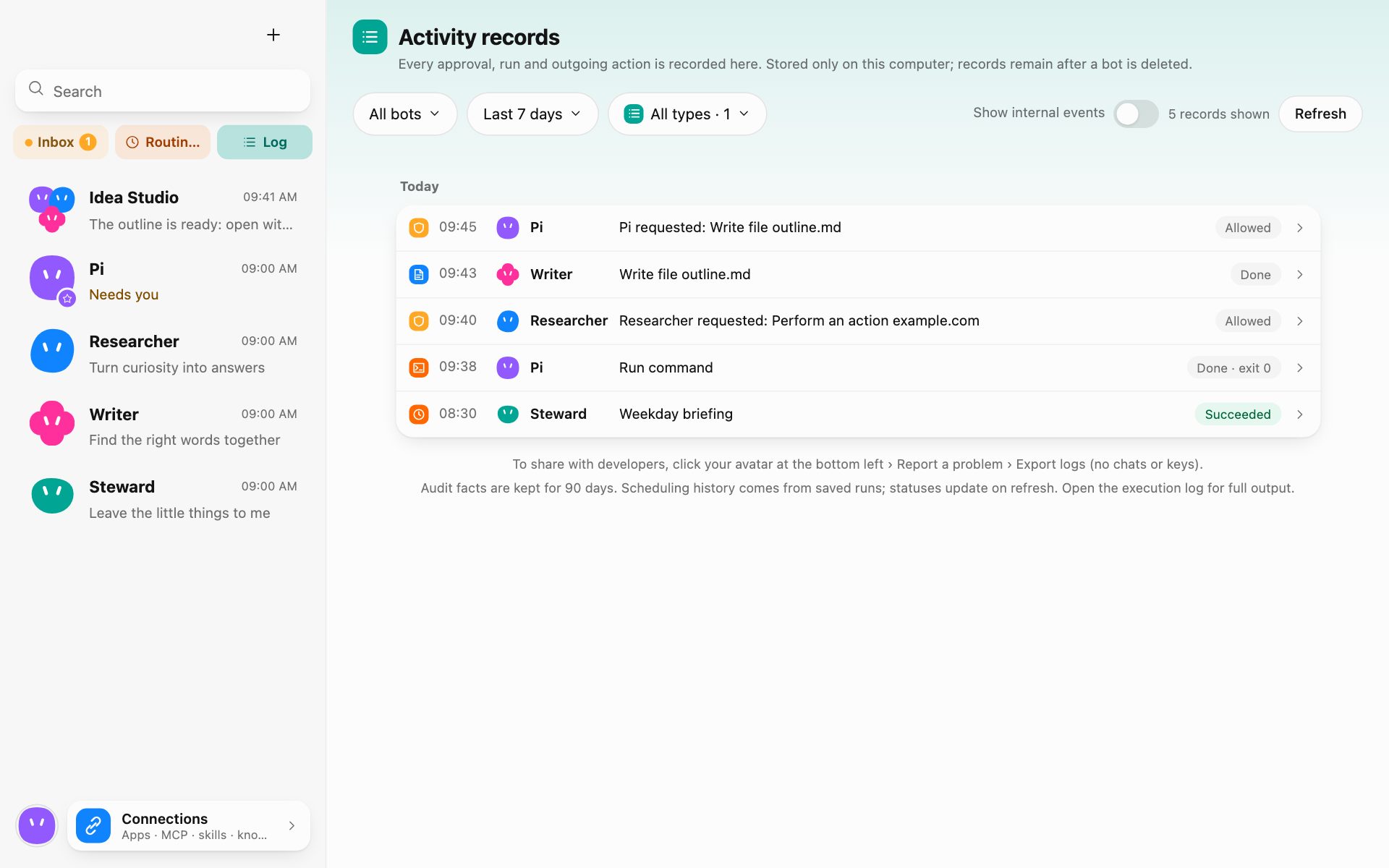
Permissions are handled fairly granularly. Every tool call goes through the same permission check, and commands run in an isolated environment. Approvals, commands, and content sent externally are written to a local audit record. There is no telemetry.
The official website is more specific: on macOS and Linux, commands run in a sandbox; Windows does not isolate, so every command on Windows must be confirmed. YOLO only auto-approves for the current conversation; explicit denials are still denied, and auto-approvals are also logged.
v0.0.3 ships tomorrow
The author says v0.0.3 will ship tomorrow. This update includes: groups can advance on their own and be paused/resumed at any time; files produced by Bots are always delivered into the conversation; the Windows installer bundles Git; and you can view progress and pause groups on your phone.
The role library is kept separately in the pibot-roles repository. Officially released packages are signed, and the app verifies them; forked or modified packages can also be imported, marked as unverified sources, and their permissions and skills are listed for you to confirm. The signing private key is not in the repository or in CI.

Platforms and use cases
The desktop app supports macOS 13 Ventura or later, Windows 10 / 11, and 64-bit Linux. There is also an Android app. Runner can be installed on another computer to run commands, which is useful when the project is not at hand. Devices prefer direct LAN connections; when going through a relay, it is end-to-end encrypted.
When the phone is offline, you can still chat directly using the synced model settings and key even if the computer is unreachable. But every command and file write must be confirmed on the phone. Runner only accepts authorizations pre-signed by the computer, valid for 24 hours. iOS is still being researched.
The official website also lists scheduled tasks, folder-change triggers, connecting to local calendars and contacts, Notion or Obsidian as knowledge sources, MCP servers, and skills. Changes in the working folder are listed and can be reviewed or rolled back; on macOS there are automatic checkpoints.
A user said in a reply that it took only a few minutes for them to uninstall open bot. Someone asked whether a VPN was needed; the author replied that it is not needed for domestic models and that he is using DeepSeek. Someone asked whether it can be used on a LAN; the author said it can connect directly.
Pi Bot is suitable for people willing to configure their own models and who can accept approval pop-ups. People with a development background can go straight to GitHub and the role library; ordinary users should first think clearly about one thing: do you want a fully managed cloud agent, or an agent team that keeps files and commands on your own computer? The latter is safer, and also more verbose.
Project URL: https://github.com/w01fb0ss/PiBot
Role library: https://github.com/w01fb0ss/pibot-roles
Download: https://pibot.space
Original post: https://x.com/it_works_123/status/2124106873729421365
发布时间: 2026-11-21 23:28