Want to run your own inference service? Inference Stack installs the whole stack with one command
Inference Stack is an open-source integrated solution released by the LiteLLM team. It packages vLLM, llm-d routing, the LiteLLM API gateway, and Grafana monitoring into a deployable stack that starts with one command and is operated through a web UI. It can also run in simulation mode without a GPU to experience the full workflow.
LiteLLM is a large language model API gateway project, and its team BerriAI has released Inference Stack: an open-source solution that packages the components needed for inference services. To run your own LLM application, beyond the model itself you also have to handle infrastructure such as deployment, routing, and monitoring. Inference Stack compresses these things into a single command.
This stack contains five parts:
| Component | Role |
|---|---|
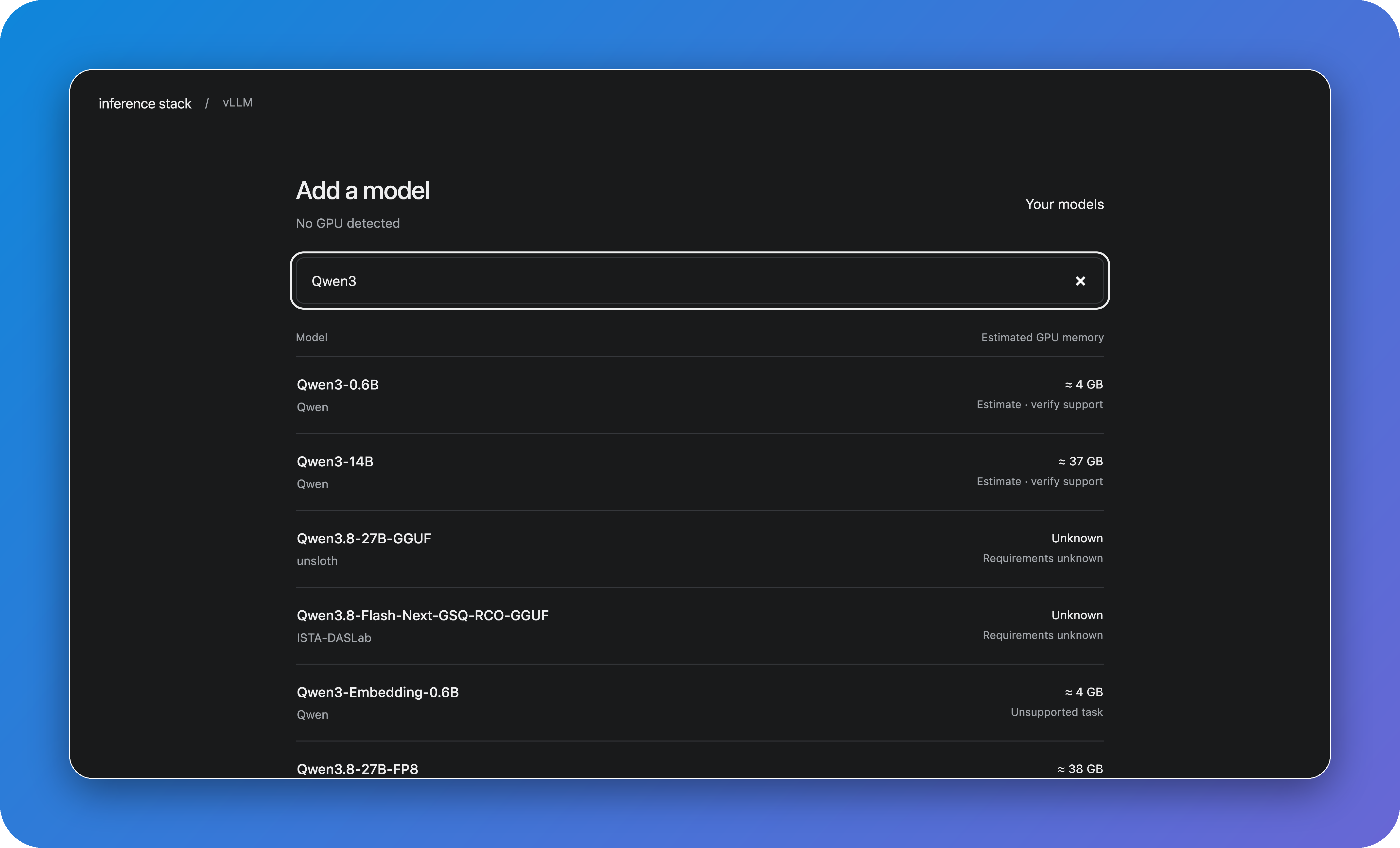
| Hugging Face | Model source; search for models and view GPU requirements in the deployment UI |
| vLLM | Inference engine; runs models on your GPU |
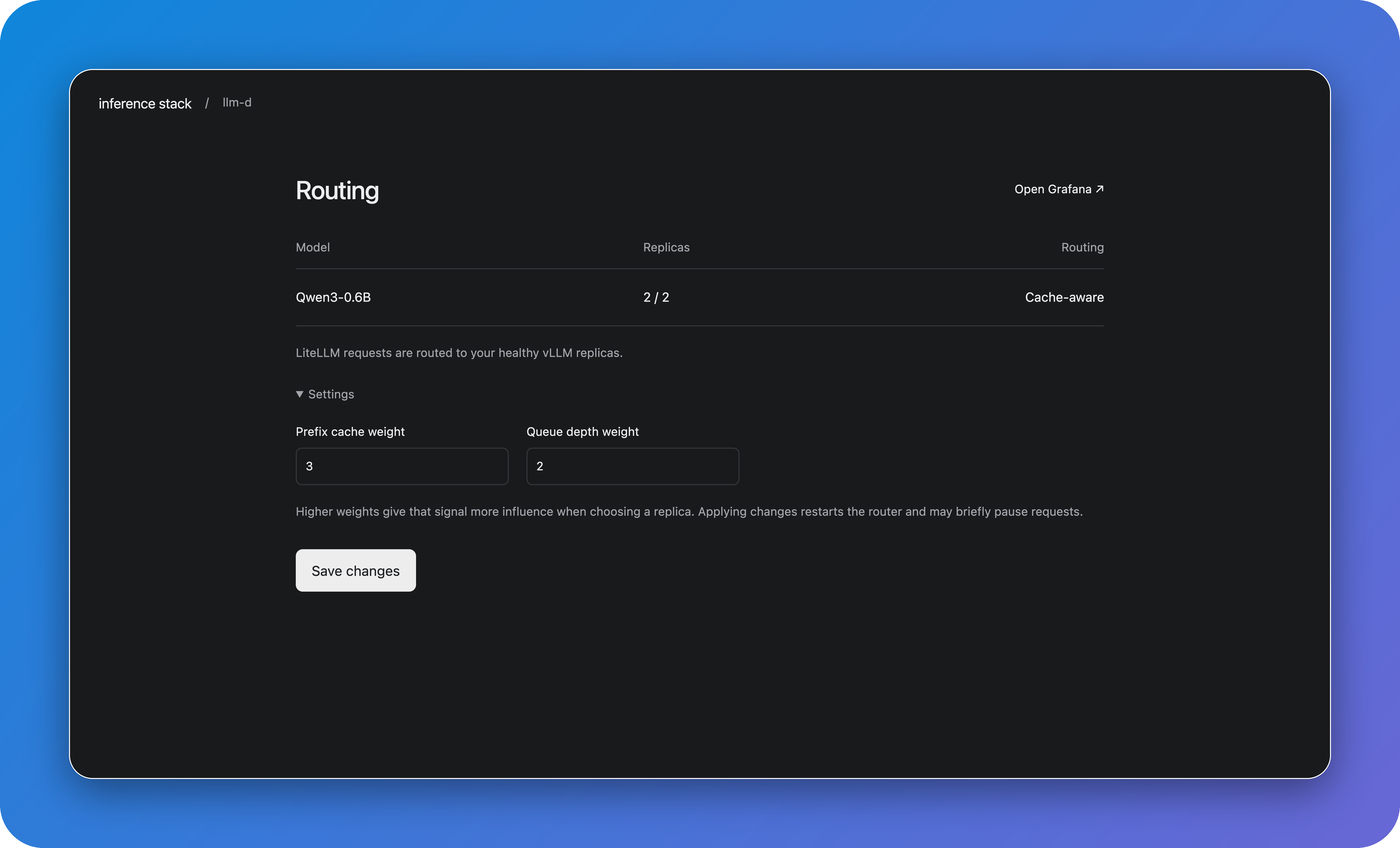
| llm-d | Routing layer; selects vLLM replicas based on cache and queue data |
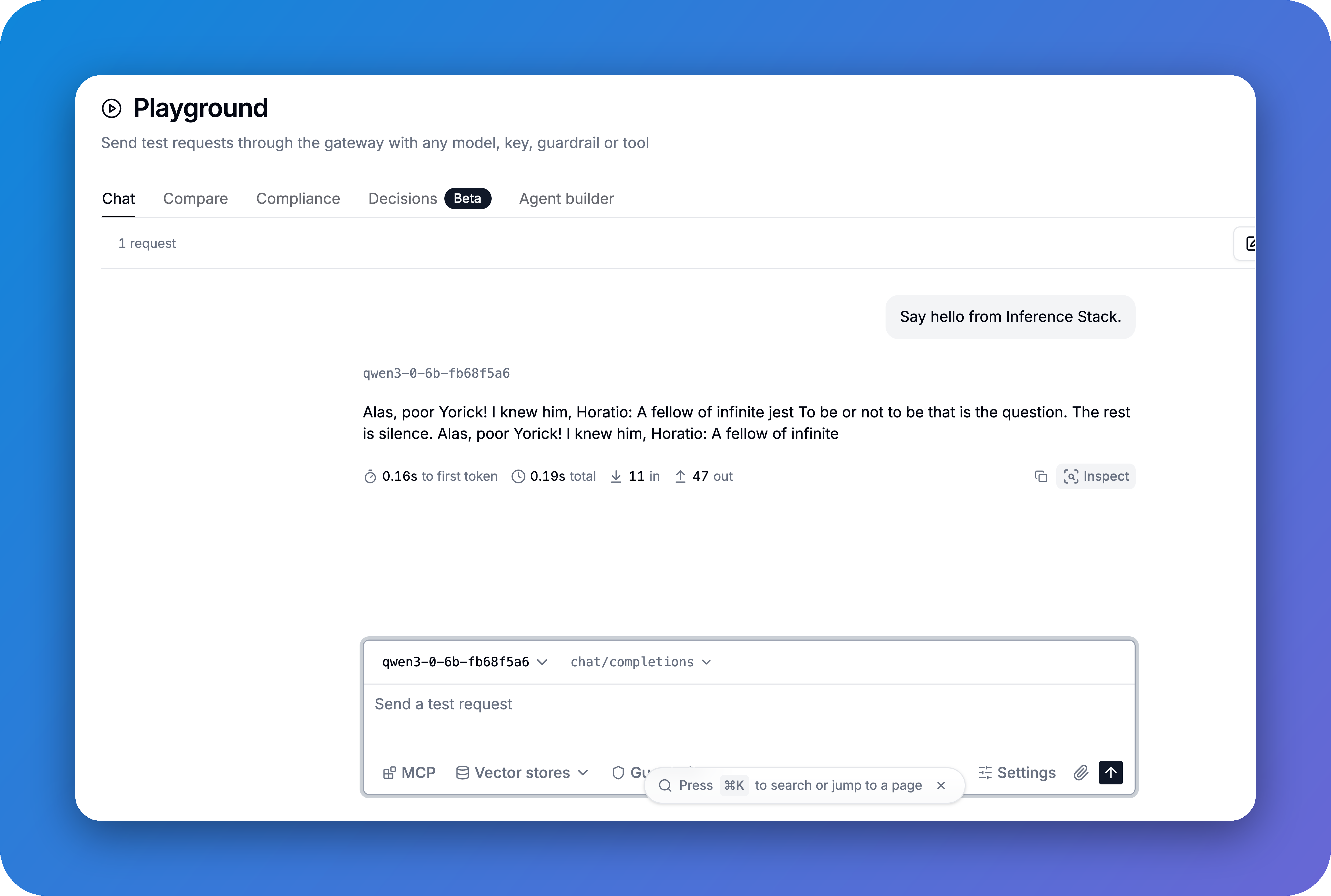
| LiteLLM | Unified API entry point; manages all models and supports chat testing |
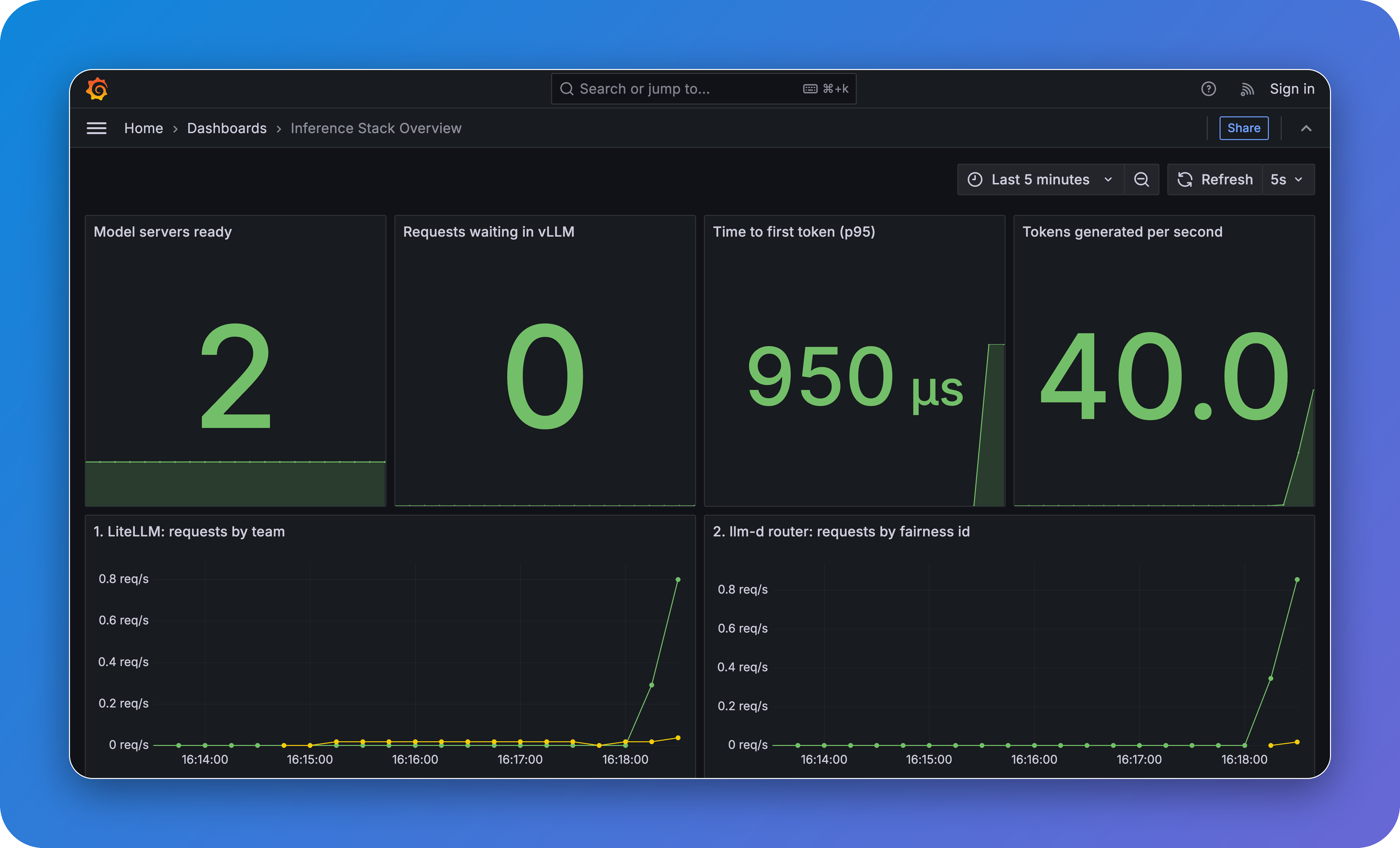
| Grafana | Monitoring dashboard; shows model health, request traffic, and response times, with data from Prometheus |
Among the five components, llm-d is the most noteworthy. It performs deployment-level routing: based on the cache hit status and queue length of each vLLM replica, it distributes requests to the appropriate replica. Cache hits can skip duplicate computation, directly affecting inference cost and response latency. In multi-replica scenarios, this layer is directly tied to GPU utilization.
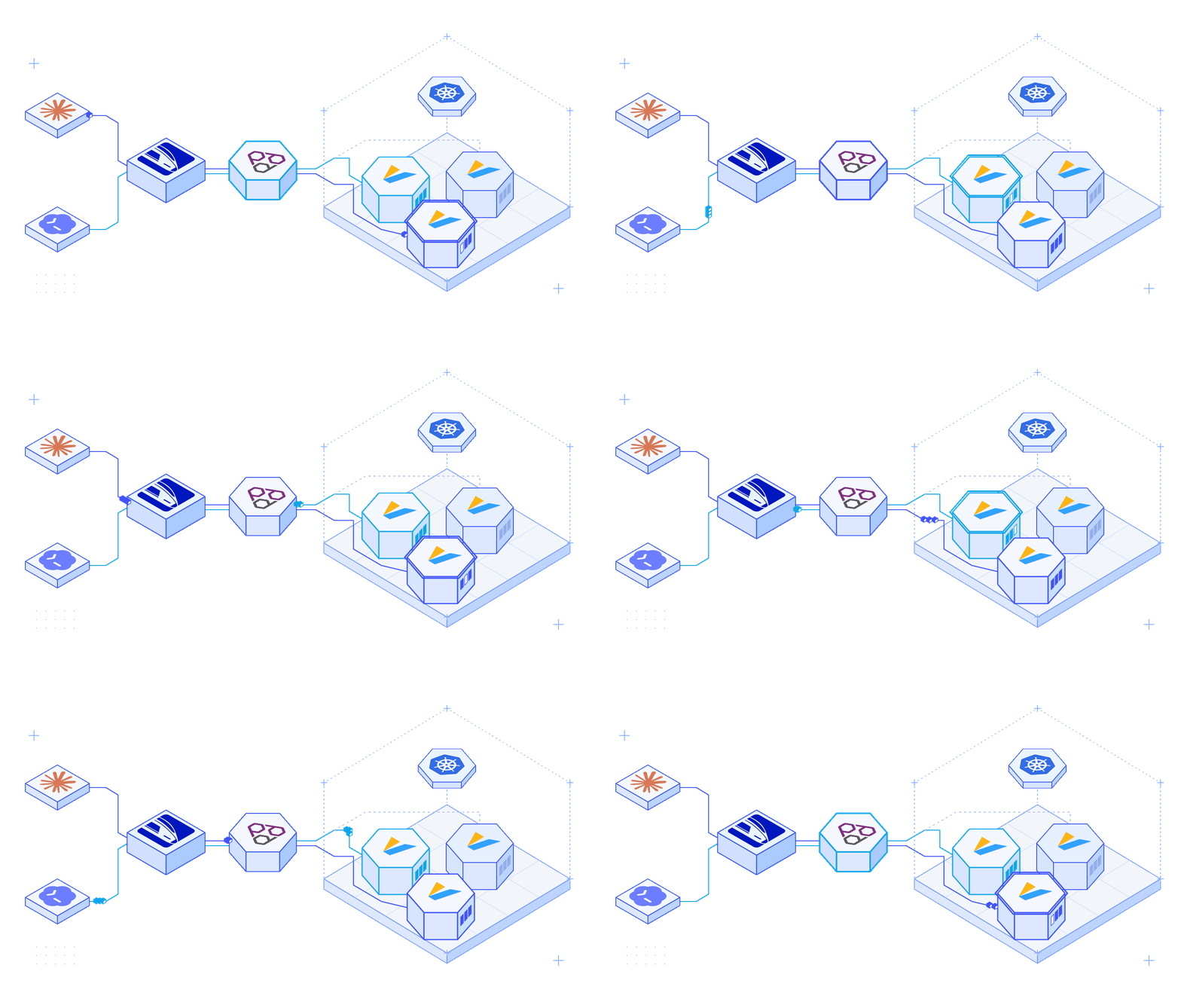
There are three deployment options: Docker Compose, Kubernetes, and AWS. For a Docker quick start, just run:
curl -fsSL https://github.com/BerriAI/inference-stack/releases/download/v0.3.0/install.sh | bash -s -- docker
After running it, open http://localhost:8080 in your browser and log in with admin and the generated password. Go to Deployments, select a model, and click Deploy. Once the model is ready, click Try in LiteLLM to send a message and test it directly.
Real model inference requires an NVIDIA GPU. Machines without a GPU can enable simulation mode in the model settings to return preset responses; the full workflow still runs through as usual.
Screenshots of several core interfaces:
Someone in the announcement thread asked: why not use SGLang? The vLLM ecosystem is more mature, and integration with Hugging Face and LiteLLM costs less. SGLang has performance advantages in some scenarios, but as the default inference engine, vLLM is the more stable choice.
Inference Stack uses the MIT license and is currently a v0.3.0 preview. The code is on GitHub, and the documentation is at inferencestack.io.
If you are evaluating self-hosted inference infrastructure, this stack is worth running through once. It packages models, routing, APIs, and monitoring together, compressing the engineering glue work into a single command. All that is left to solve is where the GPU comes from.
发布时间: 2026-11-23 03:21